Computer Repair · November 1, 2026 · ComputerKing Team
Synology NAS Hit by C3RB3R Ransomware? The September Patch You Skipped Is the Entry Point: DSM Version Check and Backup Separation
Reports in late October 2026 say the Cerber variant C3RB3R is encrypting Synology NAS boxes that missed a September patch, renaming files with a .L0CK3D extension. This article skips ransom negotiation and covers only three things you can do now: match your DSM version, shrink unnecessary internet exposure, and confirm your backup is not locked together with the NAS. Charges require an individual quotation.
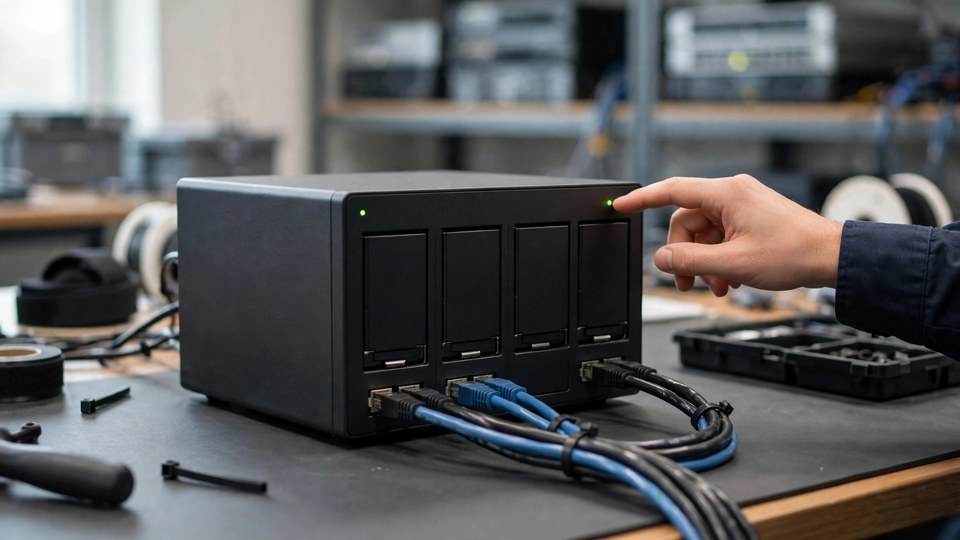
Summary: Reports dated 29 October 2026 say the Cerber ransomware variant C3RB3R has been encrypting Synology NAS devices since early October, renaming files with a .L0CK3D extension and leaving a ransom note named read-me3.txt in each folder. The reported entry point is two DiskStation Manager (DSM) flaws that Synology fixed on 18 September 2026 in advisory Synology-SA-26:13, numbered CVE-2026-13639 and CVE-2026-13684 and rated 9.8. This article does not teach ransom negotiation or promise decryption. It covers only three immediate actions: match your DSM version, reduce unnecessary internet exposure, and confirm your backup is not locked together with the NAS. Charges require an individual quotation.
What the news actually says: separate confirmed from unconfirmed
The confirmed parts, as reported, are:
- The attacker uses C3RB3R, a Cerber-family variant, targeting Synology NAS devices.
- Encrypted files receive the .L0CK3D extension, and each folder gets a ransom note named read-me3.txt.
- The entry point is reported as two remote, unauthenticated DSM flaws, fixed by Synology on 18 September 2026 in advisory Synology-SA-26:13, which also listed six other DSM issues. The advisory itself offers no mitigation other than updating: the update is the fix.
- The reported affected versions are: DSM 7.4 before 7.4-90075, DSM 7.3 before 7.3.2-86009-4, DSM 7.2.2 before 7.2.2-72806-9, and DSM 7.2.1 before 7.2.1-69057-12.
The unconfirmed part matters just as much: an incident response team has reportedly seen a victim already on a recent DSM 7.4.1 build and cannot rule out another entry route, such as a package, a container, or stolen credentials. The correct reading is therefore that updating is necessary but not, on its own, proof of safety. Credentials and internet exposure must be checked too.
How this article divides work with earlier articles on this site: Article 117 covers NAS snapshot settings that resist deletion and ransomware, including retention and locked snapshots; Article 42 covers NAS data recovery after a failure. This article does not repeat snapshot settings or drive recovery. It covers only the version check, exposure reduction, and backup separation for this C3RB3R incident.
Step one: match the DSM version, down to the build number
Many NAS owners assume that because the box is always on, it must have updated itself. DSM updates sometimes need manual confirmation, and sometimes stop at a version for package-compatibility reasons. Being switched on is not the same as being updated.
To check:
1. Log in to DSM, open Control Panel, and read the full DSM version number. Compare it digit by digit with the threshold versions above. If you run DSM 7.4, you need 7.4-90075 or later; for 7.3, 7.3.2-86009-4 or later. Reading only the major version, such as "7.4", is not enough: the build number after it is the deciding part.
2. If you are below the threshold, back up important files first, then update following Synology's official guidance. Note down your current packages and settings before updating, so anything that needs reconfiguring afterwards can be compared.
3. After updating, check the version number again and confirm it really changed. Do not treat "no update offered" as proof of completion.
4. If your NAS model can no longer install the fixed version, that is itself a risk signal: stop exposing it directly to the internet, back up important data elsewhere, and plan in the longer term whether to replace it or move it to intranet-only use.
One line to remember: match the build number, not just the major version.
Step two: shrink internet exposure; do not leave the management interface facing the world
Attacks on NAS devices often begin by finding a box whose management interface is directly visible on the internet. If your NAS is only used on your home or office network, it does not need to be open to the whole world.
Check these now:
- Has your router forwarded the DSM management ports (default 5000/5001) to the internet? If so, and it is not necessary, close them.
- Do you use QuickConnect or DDNS and then never review it? These convenience features are not themselves a breach, but they add a route in from outside, so login records should be reviewed for anomalies.
- Is the administrator account still using the default name admin? If so, disable it or rename it, use a long unique password, and never reuse it for other services.
- Is two-step verification switched on? If not, switch it on now. Stolen credentials are one of the possible entry routes mentioned in reporting, and two-step verification is the cheapest lock on that door.
- Stop packages, containers, and services you do not use. Every exposed service is one more entry point; keep only what you actually use.
Small businesses should pay special attention: NAS boxes are often shared, and accounts belonging to former staff or old suppliers that were never removed are themselves an entry point. Use this incident as the reason to do one full account clean-up.
Step three: separate the backup; the NAS itself cannot be the only backup
The most important lesson for Hong Kong users in this incident is not the encryption itself, but the fact that a backup stored on the same NAS disappears together with the originals. If your backup strategy is "the computer backs up to the NAS, and the NAS is the backup", then one encrypted NAS removes both copies at once.
Ask yourself four questions:
1. Apart from the NAS, is there another copy on a different device, such as an external hard drive, a second NAS, or a cloud backup?
2. Is that copy offline, or at least not writable by the same NAS administrator account in one step? A backup drive permanently attached to the NAS under the same administrator account can be reached just as easily.
3. Have you ever restored a file from that backup? A backup that has never been restore-tested is an assumption, not a fact.
4. Are snapshots on the NAS locked so an ordinary account cannot delete them? Snapshot details are covered in Article 117 and are not repeated here, but the warning stands: an unlocked snapshot can be deleted once an attacker holds administrator rights.
If any question has no answer, the backup is not truly separated. The simplest first step is to copy your most important folders to an external hard drive right now, disconnect it, and store it safely; then work through a full 3-2-1 backup arrangement. Article 79 on this site gives the full backup strategy for Hong Kong users.
If you already see .L0CK3D: the stop order
If you open the NAS and find files renamed to .L0CK3D and read-me3.txt notes in folders, do not panic, and above all do not do the following:
- Do not delete the ransom notes or encrypted files immediately; they are evidence for later assessment and reporting.
- Do not format or reinstall DSM on the spot in the belief that "wiping it clean fixes it". That destroys the chance of assessment and recovery together.
- Do not keep trying decryption tools on the same NAS. Write operations can overwrite data that might still be recoverable.
- Do not pay the ransom immediately. Payment does not guarantee file recovery, does not guarantee stolen data will be deleted, and can mark you as a future target.
The correct order is: isolate the NAS from the network at once (unplug it or block it at the router), record the time of discovery, the affected folders, and the file extension, photograph the ransom note, then seek professional assessment and consider reporting under Hong Kong guidance. Business users should also notify IT and management rather than handling it quietly alone. Before assessment, keeping everything unchanged is the single most useful thing you can do.
Before seeking help: prepare this checklist
If you decide to seek help, having this information ready saves a lot of back-and-forth:
- NAS model and DSM version number, before and after updating if you know both.
- Number, capacity, and RAID/SHR configuration of the drives.
- Date and time of discovery, which folders are affected, and whether the extension is .L0CK3D.
- Whether the NAS is exposed to the internet (QuickConnect, DDNS, port forwarding), and whether the administrator account uses two-step verification.
- Where backups live: an external hard drive, a second NAS, or cloud, and when the last successful restore test was.
- Whether anything was written, deleted, or reinstalled after the incident. Say so honestly; assessment can only be accurate on accurate facts.
On charges: this article gives no prices. Actual charges require an individual quotation and depend on the NAS model, drive count, capacity, and encryption status.
Sources
- CyberExperts report: C3RB3R Ransomware Hits Synology NAS, Update DSM (30 October 2026): https://cyberexperts.com/2026-10-30-synology-dsm-c3rb3r-ransomware/
- This site, Article 117, nas-snapshot-protection: NAS snapshot settings guide
- This site, Article 42, nas-data-recovery-guide-hong-kong: NAS data recovery guide
- This site, Article 79, backup-strategy-hk: Hong Kong user backup strategy
Related articles
- nas-snapshot-protection
- nas-data-recovery-guide-hong-kong
- backup-strategy-hk
- nas-home-office
Frequently Asked Questions
My NAS is not exposed to the internet. Can I ignore this news?
No. No internet exposure lowers the risk, but it does not make it zero: reporting also mentions credentials, packages, and containers as possible entry routes, and another compromised device on the same network can affect the NAS. The version check and backup separation still need doing; only the exposure part can be treated more lightly.
How do I know whether my DSM version is good enough? Is the major version, such as 7.4, enough?
No, you must match the build number. As reported, DSM 7.4 needs 7.4-90075 or later, 7.3 needs 7.3.2-86009-4 or later, 7.2.2 needs 7.2.2-72806-9 or later, and 7.2.1 needs 7.2.1-69057-12 or later. Checking only the major version can easily leave you thinking you are safe while still in the affected range.
After updating DSM, am I completely safe?
No. Updating is the necessary step that fixes these two flaws, but an incident response team has reportedly seen a victim on a newer DSM build, with other entry routes not ruled out. After updating, still check credentials, two-step verification, internet exposure, and backup separation. Do not treat the update alone as completion.
I already see .L0CK3D files. Is there still a chance of getting files back?
This article makes no promise of a result. The immediate steps are to isolate the NAS, preserve the ransom notes and encrypted files as evidence, write nothing more and reinstall nothing, then seek professional assessment. Whether recovery is possible depends on the encryption method, whether a properly separated backup exists, and whether any destructive steps were taken after the incident. Keeping everything unchanged before assessment matters most.