Computer Repair · October 26, 2026 · ComputerKing Team
Hong Kong SME RAID Recovery: First Hour After NAS Failure
When a NAS fails, the first hour matters most: stop writes, label every drive bay, record the configuration, make images, and never click Rebuild straight away.
<a id="summary"></a>Key Summary
When a NAS fails, the first hour matters most: stop writes, label every drive bay, record the configuration, make images, and never click Rebuild straight away.
<a id="s1"></a>1. One Right Action in the First Hour Is Worth Ten Later
When a NAS sits unattended, a boss or colleague is often the first to notice a failure. The most common reaction is to open the management interface and click Repair or Rebuild, hoping the system will fix itself. Vendor and professional recovery guidance repeatedly warns otherwise: rebuilding writes to the surviving drives and can overwrite parity and filesystem records. Rebuilding before understanding the situation can turn data that was still recoverable into data that is not.
The goal of the first hour is therefore not to "fix it", but to stop it getting worse. Stop the array, preserve the scene, and record everything, so that whether you later follow the official drive-replacement procedure or seek professional help, you start from a clean position.
Remember the checklist: Stop, Label, Record, Image, and Do Not Touch.
<a id="s2"></a>2. The First-Hour Checklist: Stop, Label, Record, Image, Do Not Touch
1. Stop: stop writes and shut down safely
First, stop write activity as soon as possible. If file transfers, automatic rebuilds, background synchronisation, or backup jobs are still running, shut the array down safely. Do not keep writing new data, installing software, or performing other writes on an already faulty array, because new data can overwrite sectors that might otherwise be recoverable.
If the NAS management interface is still reachable, use it for a clean shutdown. If the interface no longer responds, relevant guidance mentions holding the power button for about four seconds. Shutting down is not giving up; it prevents the problem from worsening while you decide what to do next.
Stopping writes means stopping new data being written to the array; it does not conflict with the Degraded "back up first" direction. If the array is still Degraded and data is still accessible, first read important files out to a separate destination, and only then shut down or replace drives. Backing up by reading data out is not writing to the array.
2. Label: label every bay before moving any drive
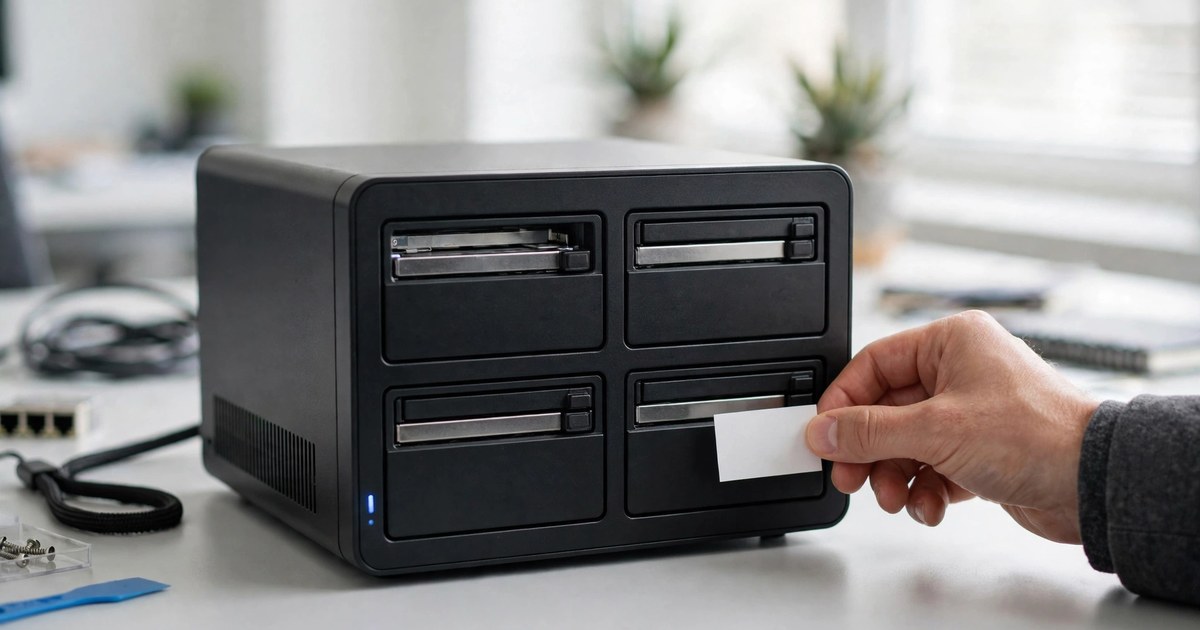
Before removing any hard drive, label each one by bay number. Drive order is critical for RAID. If the order is lost, later virtual reconstruction or professional recovery becomes much harder, and can fail.
The method is simple: photograph the front of the unit, each bay number, and each drive serial number, then put a sticker or card on every drive marked "Bay 1, Bay 2, Bay 3", and so on. Do not rely on memory, and do not assume you will remember which drive was which. Under pressure, memory is exactly what fails first.
3. Record: record the RAID configuration, error messages, and recent changes
Next, record as much of the following as possible:
- RAID level: RAID 1, RAID 5, RAID 6, RAID 10, or Synology SHR / SHR-2
- How many member drives there are, which ones have failed, and which ones still appear normal
- Controller model, NAS model, and firmware version, if visible
- Error messages or status wording, for example whether the status is Degraded or Crashed
- Recent changes such as power outages, firmware updates, drive replacements, relocation, or added cache
- Whether any rebuild, initialisation, formatting, or checking tool has already been tried
This is not paperwork for its own sake. It determines the next step. Degraded and Crashed require completely different handling, and if you record or report the wrong state, every step after that can go in the wrong direction.
4. Image: make drive images before formal handling
Professional practice is to image every drive — a disk image or sector-level copy — and then work on the copies wherever possible, rather than experimenting directly on the original drives. This matters especially after deletion, formatting, lost partitions, or damaged RAID metadata.
For an SME, this needs a realistic reading: you may not have all the professional equipment and spare drives to image everything immediately. The principle does not change, however — the sooner you preserve an unaltered copy, the more options remain. If you cannot image the drives yourself, that is even more reason not to experiment on the original array, but to stop, preserve the scene, and seek professional help.
Exception: if a drive makes unusual noises, cannot be detected, or has been dropped or exposed to water, do not attempt imaging yourself. That kind of physical damage is a stop-and-seek-professional-help case (see Section 11).
5. Do Not Touch: do not click anything until the original layout is confirmed
The last word is the hardest, because when people are stressed they want to "do something". Until the original layout is confirmed, do not rebuild, initialise, format, or force the array online. A wrong rebuild can overwrite parity, metadata, or filesystem records, and turn an array that was still recoverable into one that even professionals struggle to handle.
The same rule applies after a first failed rebuild: do not immediately try a second rebuild. Stop at once and treat the case as one requiring professional recovery.
<a id="s3"></a>3. Six Things You Must Not Do
Each item below is supported by a public source; none of it is guesswork:
1. Do not click Repair / Rebuild immediately. Repair or Rebuild in Synology DSM, QNAP QTS, or any NAS interface writes to the surviving drives and can overwrite parity data needed for recovery.
2. Do not reinitialise or format the storage pool or volume. Reinitialisation creates a new, empty storage pool and destroys the original RAID configuration and filesystem structure.
3. Do not swap drive order or bay positions at random. Changing slot positions can trigger an automatic rebuild attempt or metadata writes on most NAS platforms.
4. Do not run fsck, CHKDSK, btrfs check, or scrub on a damaged array. These tools assume the underlying device is consistent. On a damaged RAID they can misread parity damage as filesystem damage and delete valid entries.
5. Do not write any new data, and do not write recovered results back to the original array. Recovered files must go to a completely separate destination, such as an external drive, a share on another system, or cloud storage, and must be verified afterwards before the recovery counts as complete.
6. Do not replace the RAID controller yourself, and do not open a drive in an ordinary environment. Replacing a controller yourself can delete data or damage the whole system; drives should only be opened in a cleanroom, otherwise dust can damage them.
In short: after a failure, every "just try it" can be a write, and every write can remove one more recovery option.
<a id="s4"></a>4. The Degraded Versus Crashed Boundary: One Still Runs, One Cannot Assemble
Many SMEs describe every NAS state as simply "broken", but Degraded and Crashed are two completely different states, requiring opposite handling. Confusing them easily leads to the wrong method.
| Status | Meaning | Is data still accessible? | Correct direction |
|---|---|---|---|
| Degraded | The number of failed drives is still within that RAID level's tolerance, for example one drive in RAID 5, two drives in RAID 6, one drive in SHR-1, two drives in SHR-2 | Generally still accessible, but with no spare redundancy left | Back up important files first, then replace faulty drives one by one following the official procedure; before replacing, confirm the new drive has enough capacity, a healthy S.M.A.R.T. status, and that no other synchronisation is in progress |
| Crashed | The number of offline drives already exceeds the RAID level's tolerance, so the array cannot assemble | Generally no longer normally accessible, and the Repair option may no longer appear | Stop immediately, shut down, label the drive bays, do not force assembly or rebuilding, and seek professional help |
QNAP's official documentation, for example, states that if the number of failed drives in a RAID group is within tolerance, the group and storage pool become Degraded but data on the group remains accessible; the next step is to ensure a spare drive is available and then rebuild through the official steps. Synology's official knowledge base makes a similar distinction: for a degraded system partition, use the Repair link in Storage Manager and replace defective drives one by one; for a crashed system partition, first back up data, then reset and reinstall DSM by the specified method, and check each drive afterwards.
Third-party explanatory material adds the same practical warning: for Degraded, the safest approach is to back up important files first and replace only the faulty drive; for a crashed storage pool, the safest approach is to shut down, label the drive slots, and seek professional help. That passage is third-party explanation, not Synology's official wording, and the distinction should be kept clear.
Note: what Synology describes above is a crashed system partition, not a crashed storage pool. If the status shown is a crashed storage pool (the array cannot assemble), do not use reset / reinstall to handle it; follow the Crashed direction in the table — stop and seek professional help. The two must never be swapped.
The judgement method is therefore straightforward: first read the status wording, then count how many drives have failed, then compare that number with what your RAID level tolerates. Still within tolerance means Degraded; beyond tolerance means Crashed. Do not apply Degraded handling to a Crashed array, and never "try a rebuild first" on a Crashed array.
<a id="s5"></a>5. RAID Fault Tolerance at a Glance: Do Not Misremember "How Many Drives Can Fail"
| RAID level | Tolerated failures | Common misunderstanding |
|---|---|---|
| RAID 0 | None; no redundancy | Thinking several drives means protection; in fact one failed drive puts the whole set at serious risk |
| RAID 1 | All but one drive in the mirror, in practice described as one failed drive recoverable from the other | Thinking a mirror equals a backup; deletion and ransomware encryption affect both sides at once |
| RAID 5 | Exactly one drive | Thinking large arrays are equally safe; a second failure during rebuild exceeds tolerance |
| RAID 6 / SHR-2 | Two drives | Thinking RAID 6 is "invincible"; a third failure during rebuild still causes data loss |
| RAID 10 | One drive in each mirrored pair, not any two drives | The most common misstatement is "RAID 10 can lose any two drives"; the correct statement is that losing both drives in the same pair means data loss |
| SHR-1 | One drive | Thinking a smaller drive can be used as a replacement later; in fact a replacement drive must not be smaller than the largest drive in the group |
This table must be read together with the Degraded versus Crashed table: whether your array is still Degraded or already Crashed depends on how many drives have failed and which level you are using.
<a id="s6"></a>6. The Hidden Risk of the Large-Capacity Era: Rebuilding Is Itself a Stress Test
When drives were small, a rebuild might finish in hours. With today's larger drives, rebuilding requires continuously reading every sector of every surviving drive, and can take days. During that window, the array is in its most fragile state.
The first risk is the unrecoverable read error (URE). The cited material gives a consumer-drive URE rate of about 1 in 10^14 bits; during a rebuild every sector is read, and a single unreadable sector can stall parity calculation for a whole stripe. For arrays above 4TB, relevant guidance suggests considering RAID 6, SHR-2, or RAID 10 rather than continuing with RAID 5.
The second risk is correlated failure. Drives are often bought together, from the same batch, and exposed to the same environment, so failures are not fully independent; a second failure before the first recovery finishes is more likely than a random-failure assumption predicts. Rebuild pressure can push a second, already fragile drive over the edge.
The third risk is marginal hardware. Edge-state cables or backplane connections can fail consistently under the sustained high-intensity reads of a rebuild, causing the system to mark a healthy drive as faulty; concurrent S.M.A.R.T. tests, media indexing, or Btrfs scrub compete for the same disk I/O, raising latency and triggering timeouts.
"Replace a drive and rebuild, and it will definitely be saved" is therefore a misunderstanding. Before rebuilding, confirm that the latest backup is good, that the remaining drives show no S.M.A.R.T. warnings, and that the replacement drive's capacity and status meet official requirements. If several drives show deterioration at once, do not continue; contact a professional recovery service.
<a id="s7"></a>7. Two Traps That Make Rebuilding Harder: The Wrong Drive and the Wrong Cache
Trap 1: SMR drives in a RAID array
2026 drive-selection guidance remains clear: any NAS running RAID, ZFS, Synology SHR, Unraid parity, or a redundant array should use CMR drives and avoid drive-managed SMR. Safe NAS product lines are all CMR, including Seagate IronWolf / IronWolf Pro, WD Red Plus / Red Pro, and Toshiba N300 / N300 Pro. Examples of drive-managed SMR to avoid include plain WD Red EFAX (2–6TB), WD Blue 3.5-inch EZAZ, Seagate BarraCuda 4TB / 8TB (3.5-inch), and Toshiba P300 4TB / 6TB.
The reason is that SMR tracks overlap. Reads are normal, but whenever data needs to be erased or rewritten, the whole group of overlapping tracks must be erased and rewritten, including unchanged data, which is extremely slow. In a NAS array this drags down the whole pool, and in severe cases the NAS or RAID system ejects the drive as faulty. Rebuilding is itself a sustained write workload, so an SMR rebuild can stretch from hours to days, stall when tracks fill, and in individual cases fail completely and lose the array.
Before buying a drive, check the manufacturer's current official specification sheet drive by drive and confirm CMR. Do not judge by brand name or price alone.
Trap 2: NVMe read-write cache becoming a single point of failure
Another new angle is the M.2 NVMe read-write cache commonly used on Synology NAS units. If a NAS uses M.2 NVMe for read-write cache, the cache drives hold uncommitted dirty data and Btrfs metadata on which the volume depends. During the sustained I/O of an SHR-1 rebuild, a consumer NVMe drive can go offline through overheating or exceeding its endurance limit.
Once the cache drive disappears, the LVM volume group can break, because array metadata stored on the cache is gone; the rebuild stalls permanently and the volume becomes inaccessible. In other words, the SSD cache added for speed becomes another single point of failure at the moment of failure.
The lesson for SMEs is: before adding hardware, think about what happens when that hardware itself fails. Speed should not be bought with "if this dies, the whole volume dies with it".
This risk applies to a single read-write cache without RAID protection. If the cache itself already has mirroring or equivalent redundancy, a single cache drive going offline will not directly break the volume, but the cache status should still be checked following the vendor's guidance.
<a id="s8"></a>8. The October 2026 PHP2Shell Vulnerability Wave: Report It Accurately, Do Not Exaggerate
In October 2026, two critical PHP vulnerabilities, CVE-2026-109618 and CVE-2026-109619, were discovered. PHP fixed them in 8.5.12, 8.4.27, 8.3.36, and 8.2.35. The US CISA urged prompt updating on 21 October and advised systems that cannot be updated to go offline first.
Vendor fix status must be reported separately and accurately, not merged into one sentence:
- Synology — fixed: Synology published security advisory Synology-SA-26:14 (22 October), listing affected products including PHP 7.3–8.4 packages, Mail Station, and Synology Calendar. Fixed versions were already available through Package Center, except PHP 7.3, which will not be fixed because support has ended. Synology also stated that PHP built into DSM has no externally reachable functionality, so that part carries extremely low risk.
- QNAP — preparing at the time: QNAP's 22 October advisory confirmed the affected scope included QTS 5.2.11 and earlier, QTS 6.1.0, several QuTS hero and QuTScloud versions, and applications such as Note Station 3. At the time, QNAP was still preparing fixes, had not published a timetable, and advised users to remove direct internet exposure — disabling unnecessary port forwarding, UPnP, and remote access services, using a VPN where needed, and restricting management access to trusted networks.
This is a story about "vulnerabilities plus vendor guidance", not a confirmed large-scale NAS ransomware event. The sources discuss vulnerabilities and fix status; they do not describe a large-scale attack already carried out. QNAP's advisory itself indicated no attack reports against its products. This article therefore does not claim that "QNAP / Synology were massively breached by PHP2Shell in October 2026", and does not present an individual user's help request as a verified vendor incident.
For SMEs, the practical conclusion is clear: do not expose a NAS directly to the internet, enable automatic updates (but confirm a usable backup exists before updating), regularly check PHP package versions, and keep offline backups. A vulnerability is not itself a RAID failure, but if a NAS is breached and files are encrypted, RAID cannot save you — encryption is written to every drive in the array at once.
<a id="s9"></a>9. RAID Is Not a Backup: After 3-2-1, Add Two More Things
"RAID equals backup" is the most dangerous misunderstanding. RAID only protects an array against drive failure; it does not protect data against outside threats. Deleting the wrong folder removes it from both mirrored drives at once; ransomware encrypts both copies just as fast.
The classic 3-2-1 rule is: three copies of data, on two different media, with at least one copy offsite. A small-office practical example is: computers sync working folders to the NAS during the day, the NAS backs up to the cloud every night, and every week someone copies the most important shares to an external drive, takes it home, and brings back the previous one for rotation — achieving three copies, two storage types, and one offsite copy without expensive equipment.
The 2025–2026 extension is 3-2-1-1-0: the extra "1" means one offline / air-gapped / immutable copy (against ransomware), and "0" means zero errors (verified by testing). Veeam's official material also states backups should be tested at least quarterly (monthly where compliance requires). This extended version is Veeam's formulation in the sources, and should not be presented as a uniform standard across all vendors.
Separately, QNAP officially recommends running RAID scrubbing at least monthly to maintain system health and prevent data loss; QTS scans RAID 5 or RAID 6 group sectors and automatically attempts to repair detected errors. Preventive maintenance also includes monthly S.M.A.R.T. tests and scrub / consistency checks, so potential bad sectors are found before a forced rebuild. Monthly scrubbing is only preventive maintenance for a healthy array; if the array is already Degraded / Crashed or suspected damaged, never run it — see the do-not-do list in Section 3. S.M.A.R.T. alerts should go to a mailbox that someone actually monitors, not a forgotten administrator account.
<a id="s10"></a>10. Pricing, Stated Honestly: No Public Hong Kong Source, Overseas Prices Are Reference Only
For Hong Kong SME RAID recovery pricing, this research found no publicly listed 2025–2026 RAID / NAS recovery price list from a Hong Kong company; the only older document found was an expired 2014–2015 promotion, which must absolutely not be quoted as a current price. Hong Kong pricing is therefore stated throughout as "no public source; individual quotation required". No price is estimated, and no overseas price is converted into Hong Kong dollars.
The overseas reference prices below are only prices publicly listed on those overseas companies' own websites. They are not Hong Kong prices and not this company's quotations. Actual charges depend on drive count, capacity, and failure type, and require an individual quotation:
- US company NAS recovery reference (USD): USD 300 per drive at 1TB or below, USD 500 per drive from 1TB to 6TB, USD 700 per drive above 6TB; the price excludes donor drives, shipping, or a transfer drive.
- Same US company's RAID recovery examples (USD): 2 × 1TB SATA RAID-0 at USD 600, 4 × 500GB SAS RAID-5 at USD 1,200, 24 × 3TB SAS RAID-6 at USD 12,000.
- UK company reference (GBP): RAID / NAS / server recovery from GBP 500 plus VAT, with a written quotation after an initial 48-hour free diagnosis.
These figures only illustrate that overseas charges are generally priced per drive and by capacity; they do not predict Hong Kong pricing. For a Hong Kong quotation, provide the NAS model, RAID level, drive count, capacity, and failure status for an individual quotation.
<a id="s11"></a>11. When You Can Handle It Yourself, and When You Must Stop
You may consider following the official procedure yourself only if all of the following hold at once: only one drive has failed, and it is within the tolerance of RAID 1 / 5 / 6 / SHR-1 / SHR-2; the remaining drives are healthy with no S.M.A.R.T. errors; a recent backup exists, or important folders have already been copied elsewhere; and you follow the manufacturer's official replacement procedure, including the same bay, sufficient capacity, and a healthy S.M.A.R.T. status.
Stop and seek professional recovery if any of the following appears; do not keep trying DIY tools:
- Multiple-drive failure beyond tolerance, for example two drives in RAID 5, three drives in RAID 6, or both drives in the same RAID 10 mirrored pair
- Physical drive damage, for example unusual noise, failure to be detected, or a drive that has been dropped or exposed to water
- Any earlier mistake from the list above, such as already rebuilding, initialising / formatting, shuffling drive order, or running fsck / scrub
- Controller failure or firmware damage that has corrupted array metadata
- After ransomware encryption: do not rebuild or format immediately; first disconnect from the network, preserve the ransom note and encrypted samples, and check whether an offline backup can be restored. Paying a ransom gives no guarantee of recovering files, and this article does not claim that "paying gets your files back"
- Unfamiliarity with RAID recovery combined with no backup: wrong operations can cause permanent loss
Further Reading
- 3-2-1 backup rule
- NAS setup
- SSD failure symptoms
- Handling ransomware encryption
- raid-recovery-sme-guide
- raid-rebuild-before-after-sme
- raid-recovery-quote-checklist
Sources
- https://www.diskgenius.com/resource/raid-array-failure-data-recovery.html
- https://rossmanngroup.com/problems/nas-raid-rebuild-data-loss
- http://www.diskinternals.com/raid-recovery/recovering-failed-raid-array/
- https://www.stellarinfo.com/article/raid-failure-dos-and-donts.php
- https://www.tapscape.com/how-to-recover-data-from-a-damaged-or-broken-raid/
- https://www.qnap.com/da-dk/how-to/knowledge-base/article/my-raid-is-in-degraded-mode-what-should-i-do/
- https://www.qnap.com/en/how-to/faq/article/why-is-my-disk-labeled-as-unsuitable-for-rebuilding-the-raid-group
- https://docs.qnap.com/operating-system/qts/4.5.x/en-us/GUID-BCD7BE1D-51EE-426A-830D-6BD5D029AD12.html
- https://docs.qnap.com/operating-system/qts/5.0.x/en-us/recovering-a-raid-group-with-a-degraded-status-BCD7BE1D.html
- https://kb.synology.com/en-br/DSM/tutorial/What_to_do_when_system_partition_failed
- https://www.gillware.com/raid-data-recovery/synology-storage-pool-crashed/
- https://netwisetech.ae/synology-hybrid-raid
- https://computingforgeeks.com/cmr-vs-smr-drives-for-nas/
- https://xenospectrum.com/en/php2shell-nas-qnap-synology-patch-gap/
- https://www.notebookcheck.net/PHP2Shell-What-QNAP-Nextcloud-and-OPNsense-users-should-check.1431047.0.html
- https://appleinsider.com/articles/26/10/22/critical-php-vulnerabilities-threaten-your-nas-not-every-vendor-has-a-fix
- https://me-en.kaspersky.com/blog/how-to-mitigate-php2shell-at-home/26195/
- https://www.technologyinc.in/raid-is-not-a-backup.html
- https://www.veeam.com/blog/321-backup-rule.html
- https://docs.qnap.com/operating-system/qts/4.5.x/en-us/GUID-0BE980D3-1190-486B-A1E8-228DB71A9C93.html
- https://www.300dollardatarecovery.com/nas-data-recovery/
- https://www.300dollardatarecovery.com/raid-data-recovery/
- https://www.oxford-datarecovery.co.uk/blog/how-to-recover-a-failed-raid.html
- http://recoverit.wondershare.com/faq/failed-raid-recovery-what-to-do-first.html
- https://recoverit.wondershare.com/what-is/raid-data-recovery.html
- https://www.makeuseof.com/please-stop-treating-raid-as-a-backup/
Frequently Asked Questions
My NAS shows Degraded. Should I rebuild immediately?
Not immediately. Degraded means failures are still within tolerance and data is generally still accessible, but no spare redundancy remains. The correct order is to back up important files first, confirm the remaining drives are healthy and that the replacement drive's capacity and S.M.A.R.T. status meet official requirements, and only then replace drives one by one following the official procedure. Rebuilding before backing up turns a controllable drive replacement into a high-risk rebuild.
What is the difference between Degraded and Crashed?
Degraded is still within tolerance and the array can still assemble; Crashed is beyond tolerance and the array cannot assemble. Degraded can be handled by backing up first and then replacing drives one by one; Crashed should be handled by stopping, shutting down, labelling the drive bays, and seeking professional help, without forcing assembly or rebuilding.
Why should I not click Rebuild straight away?
Because rebuilding writes to the surviving drives and can overwrite parity data needed for recovery. If the remaining drives already have bad sectors, SMR problems, or marginal states, a second drive can also fail during rebuild. Before rebuilding, stop writes, label drive bays, record the configuration, make images, and confirm the backup is good.
Is RAID 1 the same as having a backup?
No. RAID 1 is only mirroring; it guards against drive failure, not deletion, ransomware encryption, human error, or fire. Deleting the wrong folder removes it from both mirrored drives at once, and ransomware encrypts both copies just as fast. Even with RAID 1, follow the 3-2-1 rule and keep offsite and offline backups.
Can RAID 10 lose any two drives?
No. RAID 10 is safe when one drive fails in each mirrored pair; if both drives in the same pair fail, data is lost. Do not describe RAID 10 as "can tolerate any two drive failures". The correct statement is "one drive per mirrored pair".
What should I check when buying a replacement drive?
Capacity must be at least equal to the smallest drive in the group, and generally all drives in a group should use the same capacity; for SHR arrays, a replacement drive must not be smaller than the largest drive in the group. A drive with S.M.A.R.T. errors is not suitable for rebuilding and should be replaced with a healthy new drive; if other synchronisation is still in progress in the group, it is not ready for rebuilding and you should wait for that operation to finish. For RAID, always buy CMR drives and avoid drive-managed SMR.
Does the October 2026 PHP2Shell wave mean Synology and QNAP were already massively breached?
No. This is a vulnerability and vendor-guidance story: Synology had already published fixes (except PHP 7.3, which has ended support); QNAP was still preparing fixes at the time, had not published a timetable, and advised users to remove direct internet exposure. The sources do not describe a large-scale attack already carried out, and QNAP's advisory itself indicated no attack reports against its products. The correct actions are to update promptly, remove unnecessary external exposure, restrict management access through VPN, and ensure offline backups — not to describe it as a confirmed large-scale NAS disaster.
How much does RAID recovery cost in Hong Kong?
There is no public source for Hong Kong RAID / NAS recovery pricing; an individual quotation is required. The USD and GBP figures in this article are all overseas companies' publicly listed reference prices. They are not Hong Kong prices and not this company's quotations, and must never be converted into Hong Kong dollars. Actual charges depend on drive count, capacity, and failure type, and require the NAS model, RAID level, drive count, capacity, and failure status for an individual quotation.