Hardware Buying Guide · October 12, 2026 · ComputerKing Team
RAM and SSD Price Surge: Memory Makers Say Shortage Lasts to 2030 — Buying and Upgrade Guide
YMTC expects the global memory shortage to last until 2030, and TrendForce sees DRAM contract prices rising again in Q4 — SSD contract prices already up 4x in a year. A repair shop guide to buying and upgrading through the price surge.
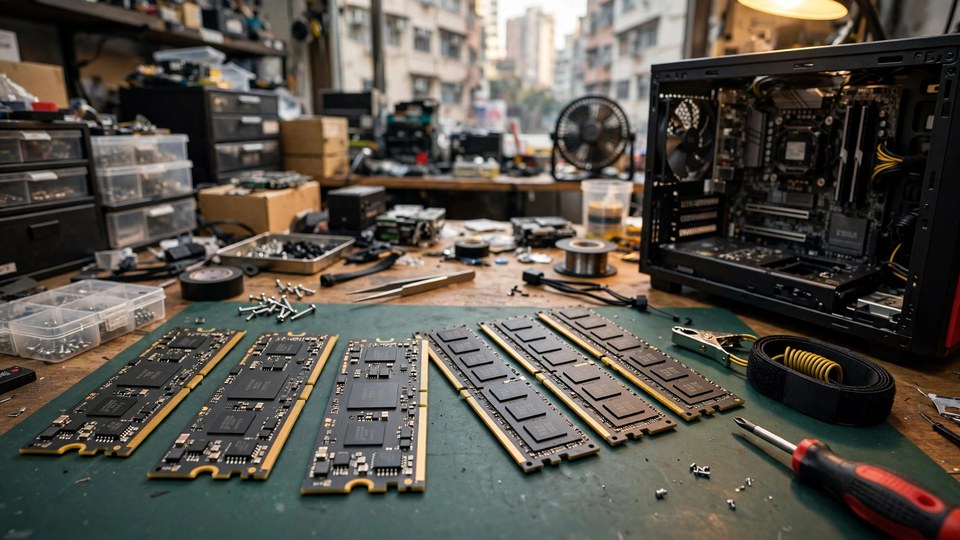
What happened this week: memory makers say the shortage lasts to 2030
YMTC — now the world's third-largest NAND flash maker behind Samsung and SK Hynix — expects the global RAM and SSD shortage to last at least three more years, through 2030. Market researcher TrendForce also expects DRAM contract prices to rise significantly again in Q4 2026, driven by large US cloud providers buying up supply.
The numbers are stark: SSD contract prices rose 4x to 4.5x between late 2025 and mid-2026; NAND flash makes up roughly 90% of an SSD's cost; AI data centers are absorbing production while the big makers prioritize HBM and enterprise SSDs, leaving less for the consumer market. German retail data shows DDR5 prices at about 5.5 times pre-crisis levels. TrendForce forecasts another 15–20% NAND increase in Q4, with no relief before late 2027.
What it means for Hong Kong users
Buying a new machine: get enough capacity the first time. Mac unified memory is soldered, and so is the RAM in many ultra-thin Windows laptops — choose too little at purchase and you can't add more later.
Upgrading an old machine: it's expensive now, and waiting won't help. The market doesn't expect prices to fall before late 2027 — waiting just means living with a slow machine and losing time every day.
Business and NAS users: enterprise SSDs are rising even faster. Plan server and NAS expansion purchases early instead of waiting until you're out of space.
A repair shop's playbook for the price surge
New machine? Don't buy "just enough" RAM. Size your RAM for the next two to three years of use — many machines can't be upgraded later, so there's no second chance.
Old machine? Upgrade the SSD in one go. Going 512GB → 1TB → 2TB in steps means paying premium prices every time. One jump to the size you need is the cheapest path.
Save money on cold data. Files you rarely touch — movies, photo archives, old projects — belong on HDD or NAS, where cost per terabyte is still far lower. Don't pile everything onto expensive SSDs.
Don't buy no-name SSDs to save money. Shortages bring more questionable stock with unknown NAND. Data recovery from a dead drive will cost far more than whatever you saved.
Don't throw away the old SSD. A cheap external enclosure turns it into another backup drive — just wipe your data completely first.
Frequently Asked Questions
Should I avoid buying SSDs or RAM right now?
Buy if you genuinely need it. The market doesn't expect relief before late 2027 — waiting isn't a strategy, and a slow machine costs you time every day.
More RAM or a bigger SSD — which helps more?
Find the bottleneck: slow boot and slow app launches usually mean the drive — an SSD upgrade helps most. Stuttering with several apps open and 'out of memory' warnings mean you need RAM.
Are SATA SSDs cheaper?
They're rising too, up about 75% — just a bit gentler than NVMe. Both use the same NAND, so there's no escaping it.
What do I do with the old SSD I replaced?
Put it in an external enclosure as a backup drive. Wipe your data completely first — don't just throw it away or give it to someone.