Hardware Repair · October 1, 2026 · Computer Maintenance Expert
PC Full of Dust? Deep-Clean + Case Swap Diary: An Old PC Reborn
PC a few years old, choked with dust, fans screaming at full speed? Follow our real case: a deep clean plus a full transplant into a new case — the before-and-after rivals buying a new machine.
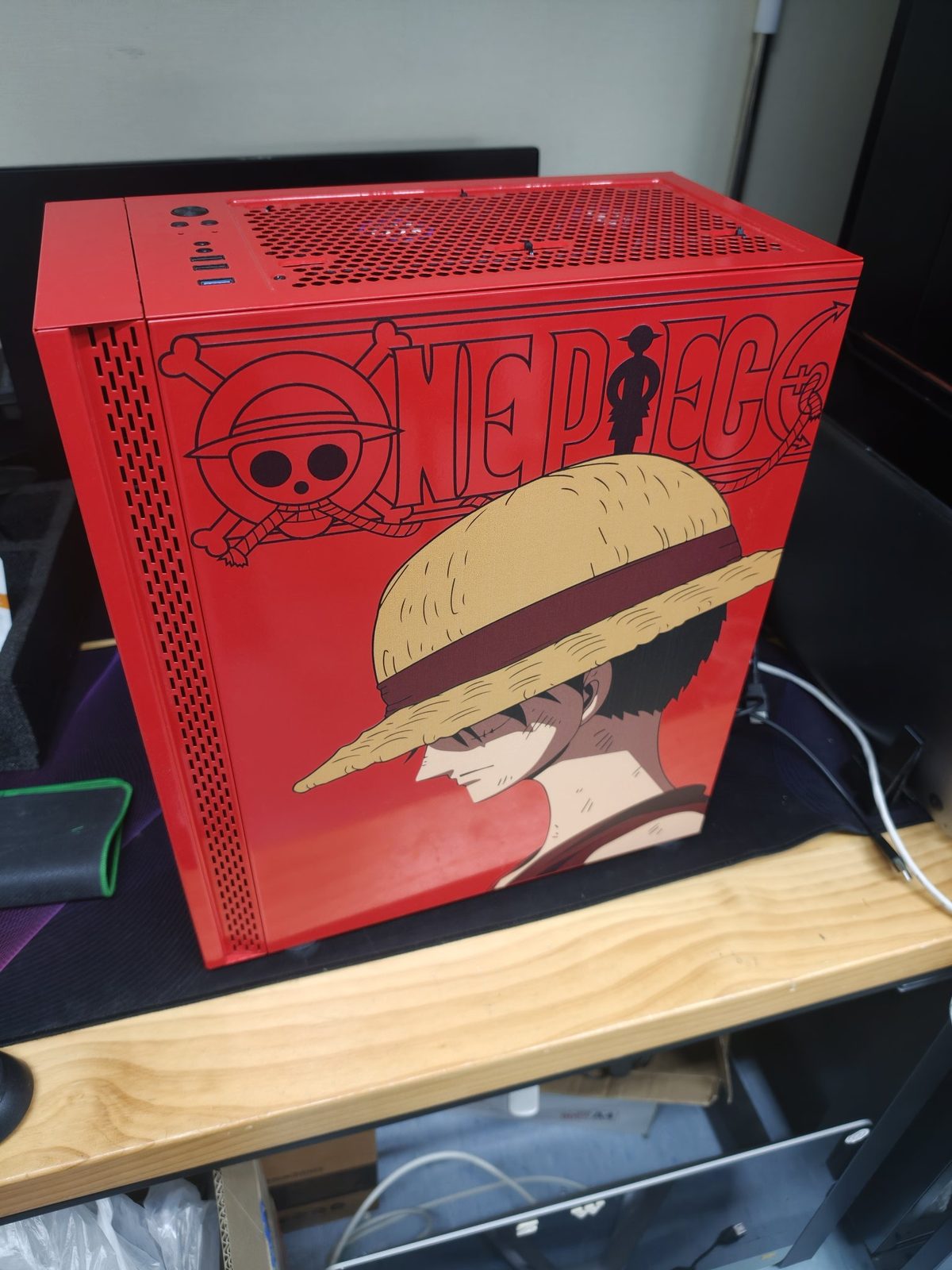
Straight answer: is a filthy PC still worth saving?
Yes — and you don't need to buy a new one. When this PC arrived at our workshop, it was caked in thick dust and its fans were screaming at full speed just to keep up. We gave it a full deep clean, then transplanted everything into a brand-new case. Afterwards, thermals, noise and looks were all back — it genuinely feels like a new machine. Here is the full story.
What did the PC look like?
In late September, a customer brought in a desktop. The specs were decent: an NZXT all-in-one liquid cooler, an ASUS ROG GeForce RTX graphics card, a ROG motherboard and a Corsair RM850x PSU. But once we opened the case — dust everywhere:
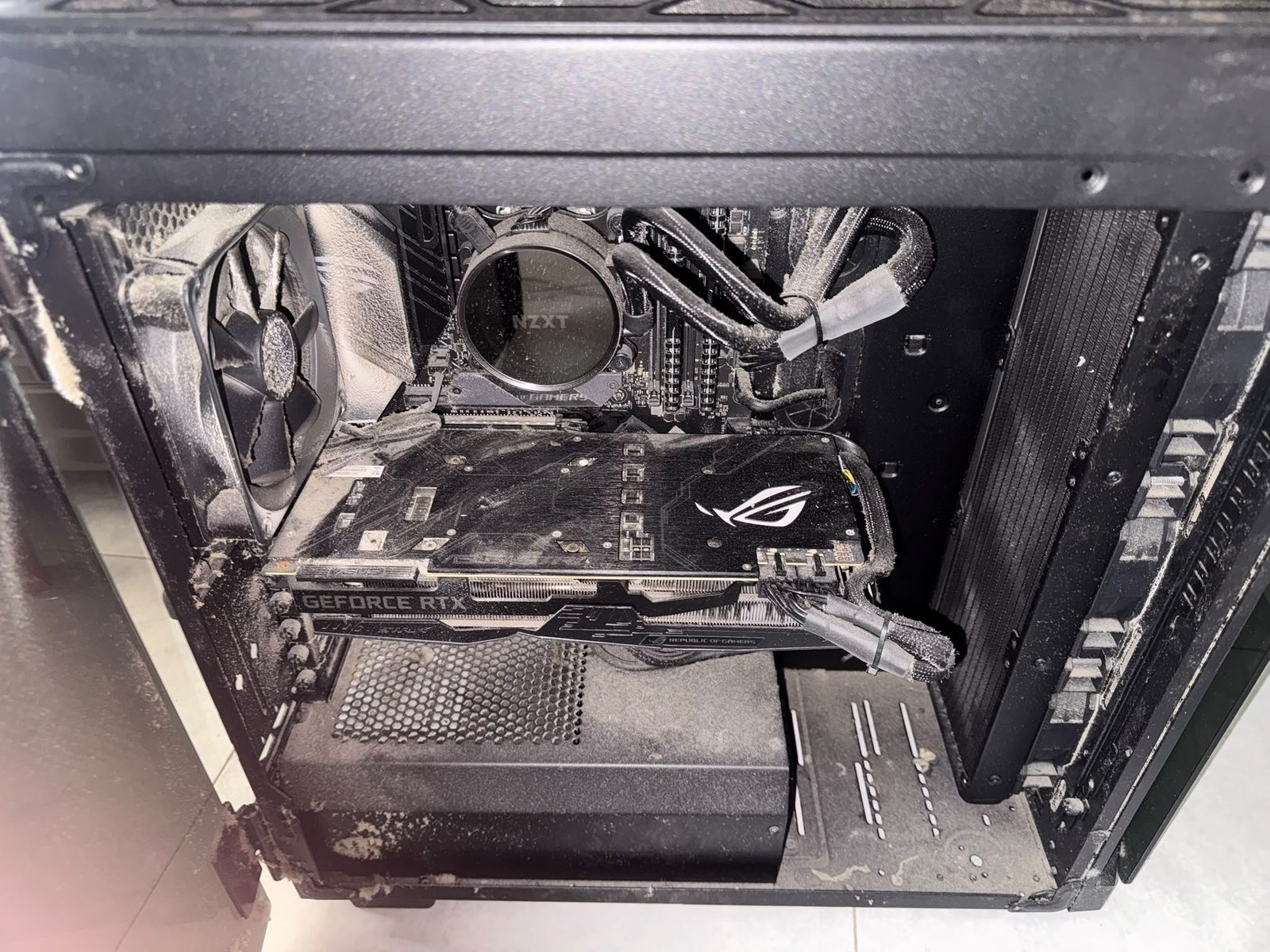
The cooler block, fan blades, radiator and GPU heatsink were all buried under dust. The back of the motherboard tray and the PSU area were no better:
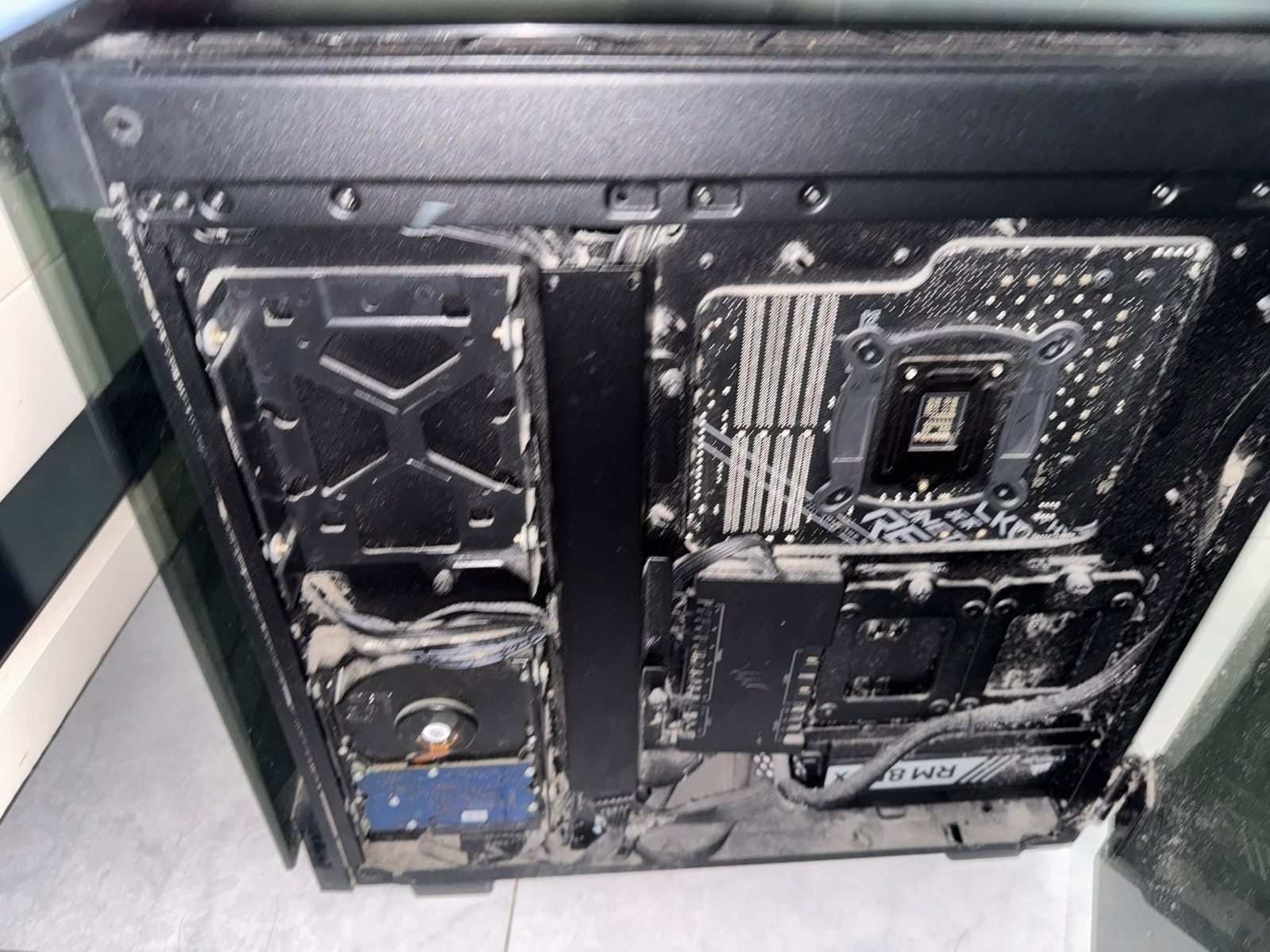
The customer said the fans had been running at full speed constantly, and the PC had even shut itself down mid-game. These are classic symptoms of heat failure caused by dust.
Why dust is a silent PC killer
Many people think dust is just ugly. In reality it is the number one enemy of hardware lifespan:
| Dust problem | What happens |
|---|---|
| Blocked vents | Heat cannot escape; the CPU/GPU run hot for long periods, throttle down, and the PC gets slower |
| Overworked fans | Fans must spin faster to compensate — louder, and bearings wear out sooner |
| Thermal paste dries faster | Sustained heat hardens and cracks thermal paste, worsening heat transfer in a vicious cycle |
| Humidity + dust = corrosion | Hong Kong is humid; dust absorbs moisture, clings to metal contacts, accelerates oxidation, and in bad cases causes short circuits |
In our repair experience, a badly dust-choked PC typically runs 10–20°C cooler after a deep clean, with dramatically lower fan noise.
What does a deep clean actually involve? More than a quick blow
Some "cleaning" services just blast the surface with air. Our deep clean means stripping the machine down and treating every part:
1. Power down and strip: Unplug, remove the graphics card, RAM, cooler and other components for individual inspection
2. Deep-clean fans and radiator: Wipe fan blades one by one; blow the radiator from the inside out with compressed air so dust is not pushed deeper in
3. Replace thermal paste: Remove the dried, cracked old paste and apply fresh — this step alone often drops temperatures by 8–15°C
4. Clean the gold contacts: Gently clean RAM and GPU contacts to fix flaky connection issues
5. Cable management and rebuild: Tidy the cabling to improve in-case airflow
Expert tip: Never wipe a motherboard with water or a wet cloth! Compressed air plus an anti-static brush are the right tools. If you are not sure how to take things apart, do not force it — snapping one plastic clip can cost more than the whole cleaning job.
Why swap the case as well?
The customer also decided to move everything into a new case — a red One Piece Luffy-themed chassis. The reasons were very practical:
- The old case was worn out: After years of use, the front-panel clips were loose and the dust filters were long gone — it would just fill with dust again
- Outdated airflow design: The new case has far better airflow, multiplying the cooling benefit
- The feel-good factor: You look at your PC every day — a good-looking machine is simply more enjoyable to use
During the transplant we inspect every part: aging cables, stripped screws — everything gets sorted in one go, so nothing needs reopening later.
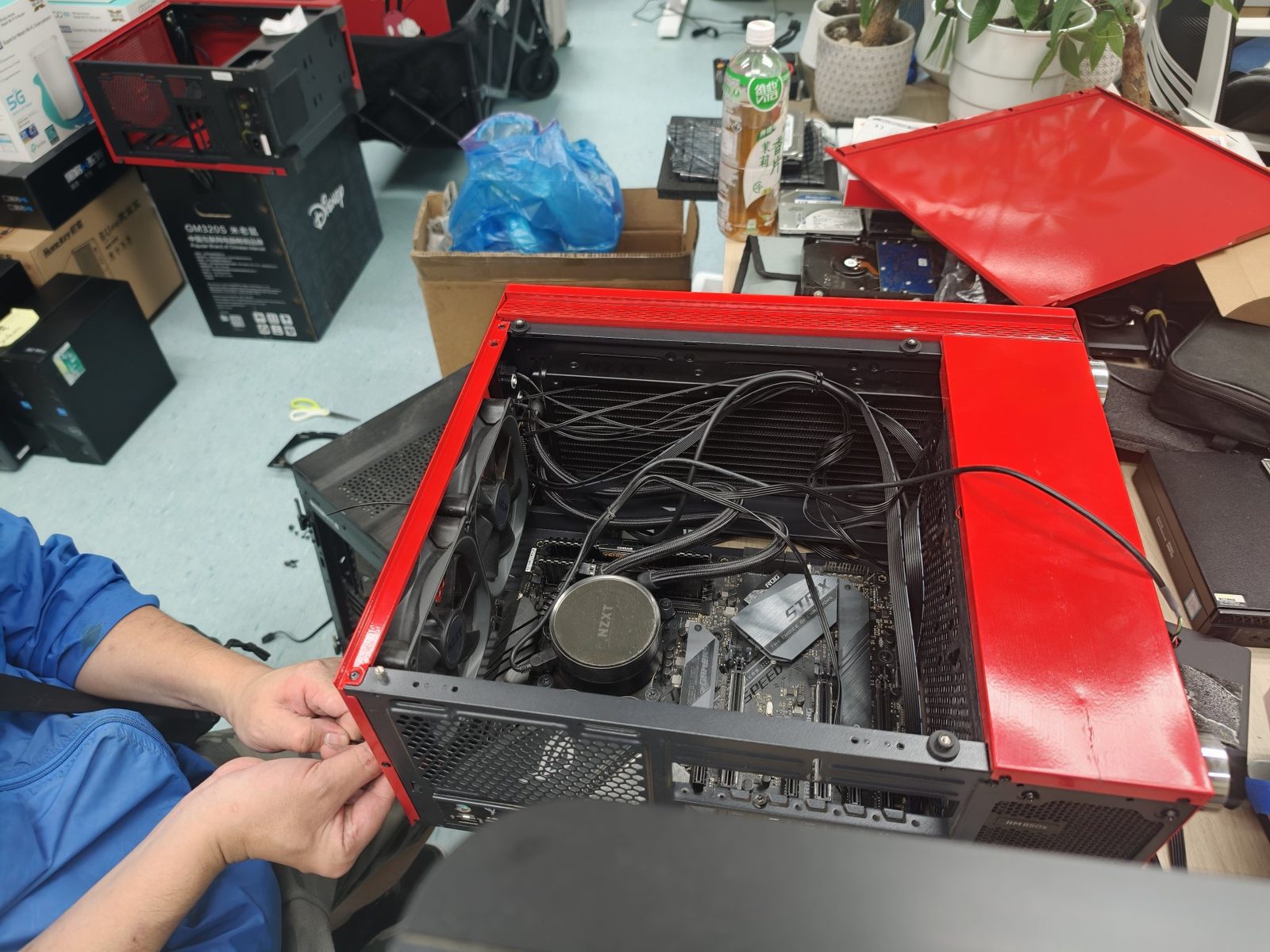
Done! It really does look like a new PC
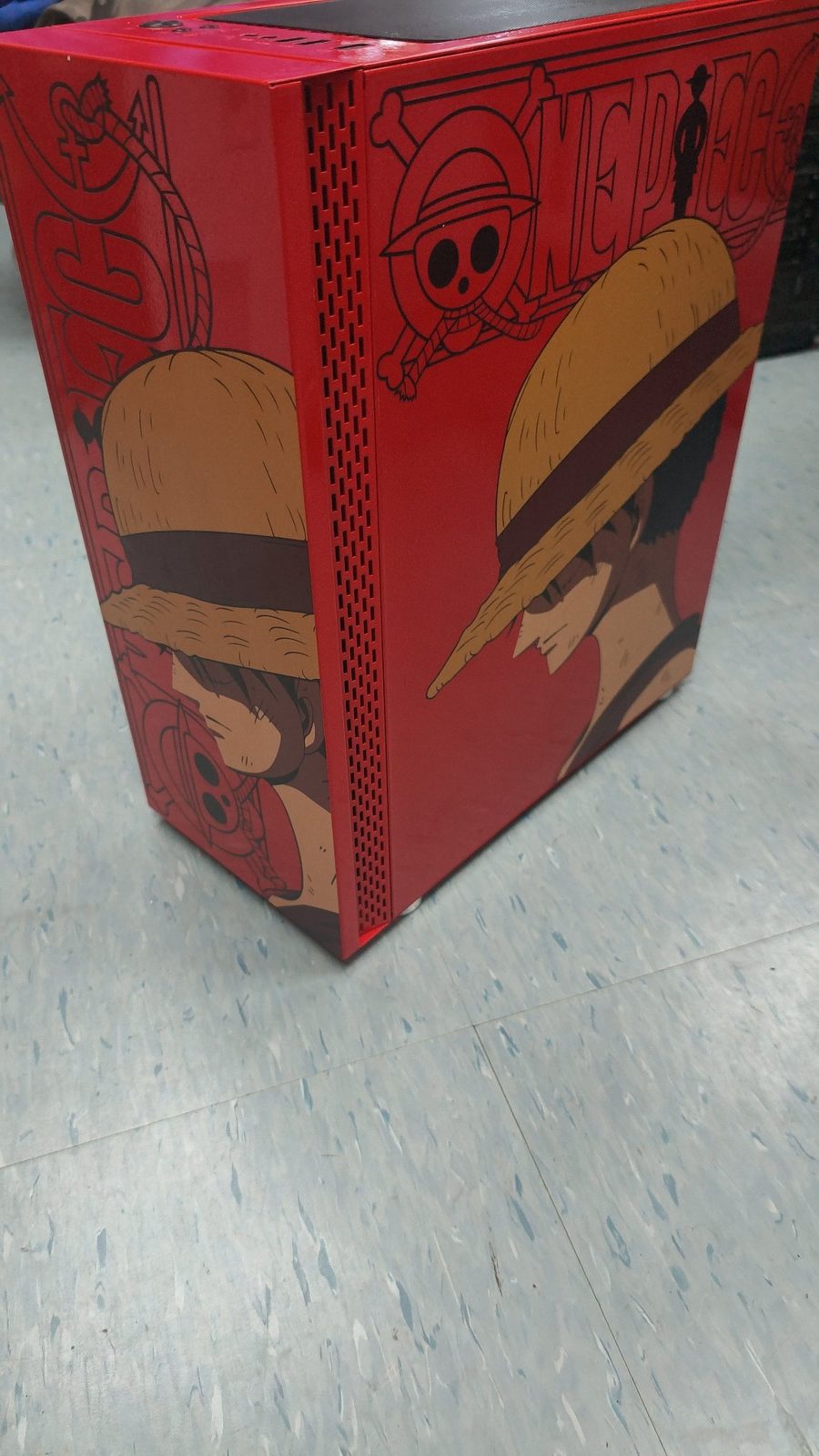
After the deep clean and case swap, thermals were clearly improved, the fans no longer screamed at full speed, and the random mid-game shutdowns stopped. And the looks went from "storage-room find" to "showpiece" — this red One Piece case turns heads on any desk.
The cost? Just a deep-clean service plus one new case — well under 20% of buying an equivalent new PC.
DIY or hire a pro? At a glance
| DIY | Professional service | |
|---|---|---|
| Tool cost | Compressed air, anti-static brush, thermal paste (about $200–$400) | All included |
| Risk | Inexperience can snap clips or kill parts with static | Technicians do this daily and know every pitfall |
| Thermal paste | Easy to apply too much or too little on the first try | Perfect application, best results first time |
| Case swap | Full strip-down and rebuild, 2–3 hours minimum, plus cable-routing skill | Clean and transplant done in one visit |
| Best for | Experienced users who enjoy building PCs | Anyone short on time, worried about damage, or wanting it done right once |
FAQ
Q: How often should I clean dust out of my PC?
A: Hong Kong is dusty and humid — a basic clean every 6–12 months is wise. If your PC is 2–3+ years old, or you game / edit video (heavy loads), it is worth a full deep clean with fresh thermal paste.
Q: Can cleaning damage my PC?
A: With the right tools and procedure, cleaning is very safe. The most common accidents are static discharge and forcing parts apart — which is exactly why many people prefer hiring a technician.
Q: Do I need to reinstall Windows after swapping cases?
A: No. A case swap only moves the hardware; your drives and system stay exactly as they were. Power on and everything is there.
Q: How long does a deep clean take?
A: A typical desktop deep clean with thermal paste replacement takes about 1–1.5 hours on-site. Add another 1–2 hours if we are transplanting into a new case.
Q: My PC is really old — is it still worth cleaning?
A: If the performance still meets your needs (office work, browsing, light gaming), a clean plus small upgrades (more RAM / an SSD) can give it years more life — far cheaper than a new PC. If it is a decade-old relic, it may genuinely be time to replace.
How we can help
ComputerKing offers on-site deep PC cleaning across Hong Kong:
- 🧹 Deep cleaning: Compressed air + anti-static brush + professional vacuum for fans, radiators and PSU intakes
- 🧪 Thermal paste replacement: Premium Arctic MX-6 or Thermal Grizzly Kryonaut paste
- 🔧 Case swaps & upgrades: We will help you pick the right case and move everything over with tidy cabling
- 📊 Before/after health check: Full hardware check before and after
We cover Hong Kong Island, Kowloon and the New Territories. A slow, loud, hot PC usually is not "broken" — it is just dirty.
📞 WhatsApp 2115 9219 to book, or visit our Sha Tin / Wan Chai stores.
*Last updated: October 1, 2026. Written by the ComputerKing PC Maintenance Expert Team, with real case photos.*
Frequently Asked Questions
What's included in deep cleaning?
Full teardown: heatsink, thermal paste, fans, cable management. Not just surface wiping.
Benefits of a case swap?
Better cooling, quieter, nicer. Good airflow drops temps 10°C+.
How long does deep cleaning take?
2-3 hours, same day. Half day with case swap.
How often for deep cleaning?
Every 1-2 years in HK. Yearly with pets, floor placement, or heavy gaming.