Enterprise IT · April 2, 2026 · Network Engineer
Hong Kong Office Network Cabling Guide: Cat6 or Fiber? Which Contractor?
Moving offices and need to redo all network cabling? Or existing network is too messy? Here's practical experience and pricing reference.
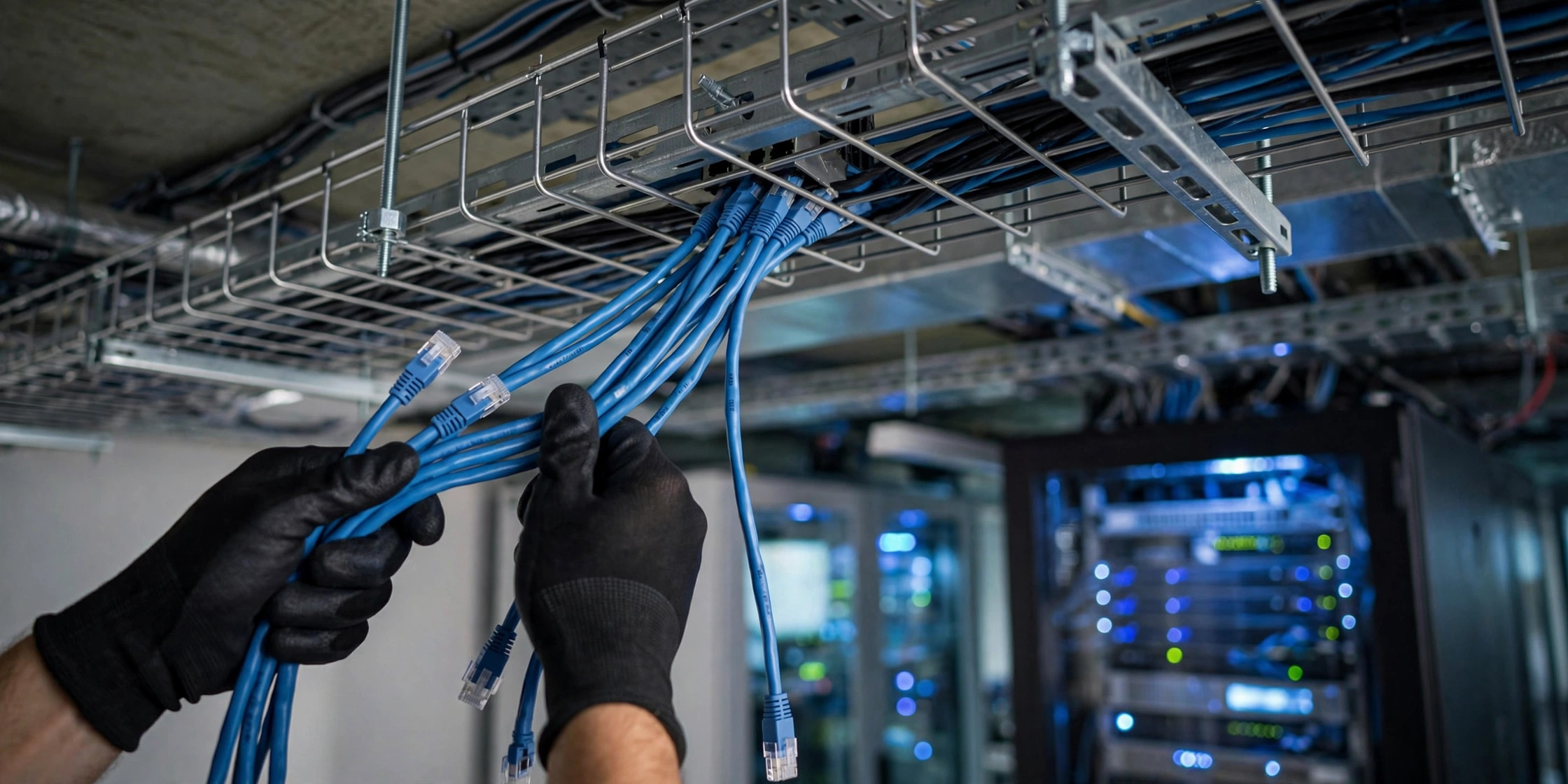
Office Network Cabling Is a Major Project: Why You Can't DIY
Dozens of workstations, hundreds of cables, ceiling cable trays, server room patch panels — office network cabling is professional structured cabling work, not something you do by buying a box of Cat6 cable and winging it.
At ComputerKing, we've completed over 100 SME office network projects. We've seen cases where sloppy initial cabling made troubleshooting a nightmare — one unclear cable label meant IT support spent half a day tracing it; cable trays stuffed full with no spare capacity meant adding one cable later required re-pulling everything. These problems wouldn't exist if the job was done properly from the start.
[IMAGE_SUGGESTION: Before and after comparison of office structured cabling — messy vs tidy server rack]
Cat5e / Cat6 / Cat6a / Cat7: How to Choose?
This is the most frequently asked question. Let me explain each:
| Standard | Max Speed | Max Frequency | Best For | Relative Cost |
|---|---|---|---|---|
| Cat5e | 1Gbps (100m) | 100MHz | Basic office internet, email | Lowest |
| Cat6 | 1Gbps (100m) / 10Gbps (37m) | 250MHz | Current standard, minimum recommendation | Medium |
| Cat6a | 10Gbps (100m) | 500MHz | Companies running NAS/servers/heavy data transfer | Higher |
| Cat7/Cat8 | 25G-40Gbps | 600-2000MHz | Data centers, server room backbone | Highest, overkill |
Honestly: Cat6 is more than enough for 90% of Hong Kong SME offices. Cat6a and above cost significantly more (cable is 30-50% more expensive, installation is harder) with marginal benefit. Unless your company does video production, engineering design (large CAD files), or has on-premises servers requiring high-speed internal networks, Cat6 is perfectly adequate.
Copper or Fiber?
This isn't an either/or — they complement each other:
- Within the same office: Cat6 copper is sufficient. Run Cat6 from each workstation to the patch panel.
- Between floors / different units: Use fiber optic cable. Fiber is immune to electromagnetic interference, supports long transmission distances (hundreds of meters without signal loss), and has extremely high bandwidth.
- Server room to core switch: Use fiber as the backbone.
- Server to server / SAN: Use fiber or DAC (Direct Attach Copper) cable.
Fiber comes in single-mode (long distance, expensive) and multi-mode (short distance, cheaper). For office backbone, multi-mode OM3 or OM4 is perfectly adequate.
Pricing Reference (2026 Hong Kong)
Here are market price references for structured cabling projects, using a small-to-medium office as an example:
| Item | Unit Price Range | Notes |
|---|---|---|
| Network point (inc. Cat6 cable, faceplate, RJ45 module, testing) | $250-$400 each | Depends on cable length and installation difficulty |
| Fiber cable (multi-mode, per core) | $30-$60/meter | Excluding termination |
| Patch panel (24-port, Cat6) | $500-$1200 each | Depends on brand (AMP/Commscope more expensive) |
| Server rack (42U, including installation) | $3000-$8000 | Depends on brand and accessories |
| Cable tray / trunking | $80-$200/meter | Depends on material and size |
| Faceplate + module | Included in network point pricing | - |
| Fluke certification test | $30-$60/point | Every point must be tested |
A 20-person office with roughly 40-60 network points, 2-3 fiber runs, 1-2 patch panels, and one 42U rack costs approximately $15,000-$30,000 HKD. This is a rough estimate — actual costs require an on-site survey.
[INFOGRAPHIC_OPPORTUNITY: 20-person office structured cabling cost breakdown chart]
Who to Hire? How to Avoid Pitfalls
This is the most important decision in the whole project. Don't save money by hiring a "computer guy" from the street. Network cabling is professional engineering requiring:
- Signal testing: Every point must be tested with a Fluke tester after installation, with a certification report issued. The Fluke tester itself costs tens of thousands of dollars — street technicians won't have one.
- Cable certification: Proving each cable meets the standard (Cat6 must pass 250MHz testing).
- Labeling: Both ends of every cable must be labeled, corresponding to patch panel port numbers.
- Documentation: After completion, a complete set of documentation must be delivered (cable schedule, test report, as-built drawing).
Choose registered structured cabling contractors — they have Fluke testers, professional certifications (e.g., CommScope/AMP certified installer), and past project references.
Common pitfalls:
- Quotation is cheap but doesn't include testing (just "no problem after pulling" with no certification)
- Using fake Cat6 cable (some cheap cables on the market are CCA — Copper Clad Aluminum, not pure copper, with poor signal quality and non-compliant with standards)
- No labeling (troubleshooting becomes a nightmare later)
- Cable trays with no spare capacity (stuffed full, can't add cables later)
Planning Essentials: Do It Right the First Time
- Plan 2-4 ports per workstation: Computer, IP Phone, printer, spare. Better to have more than fewer — adding one port later costs 3-5 times more than doing it initially.
- Extra ports for meeting rooms: TV/projector, video conferencing system, wireless presentation system (e.g., Barco ClickShare), spare.
- Reserve 20% spare ports for future expansion (new staff, new devices, rearrangements).
- Label all ports clearly: Each port on the patch panel corresponds to a specific workstation location, using a consistent naming convention (e.g., A-01, A-02).
- Patch panel and switch ports must correspond: Panel port 1-24 corresponds to switch port 1-24 — don't plug randomly.
- Server room cooling and power: Leave space around the rack for cooling; network equipment should have dedicated power (ideally with UPS).
Don't Forget Wireless: AP Placement Planning
While cabling, you must also plan WiFi AP (Access Point) placement.
- Ceiling mount APs need network ports and power pre-positioned at the ceiling (PoE — Power over Ethernet is ideal, one LAN cable handles both data and power).
- AP coverage: Generally one AP covers approximately 1000-1500 sq ft (open space). Structural walls reduce coverage.
- AP density: High-density environments (e.g., a 50-person open office) need more APs (not a coverage issue — a capacity issue).
- Site survey: Before formal installation, conduct a wireless site survey using professional software to simulate coverage and interference.
Frequently Asked Questions
Q: My company only has 10 people — do we really need to do structured cabling that seriously?
A: Yes. Even for a small office, if you expect to be in this location for over 2 years, you should do structured cabling. Otherwise, with cables all over the floor, using home-grade switches to get by, the time cost and downtime losses from troubleshooting will far exceed the cost of doing it properly from the start.
Q: We're renovating a new office — at what stage should cabling be done?
A: Before installing the ceiling and flooring. Cabling needs to run through ceiling cable trays or under-floor trunking. If you wait until the office is fully renovated, you'll have to do surface-mount trunking, which looks much worse. The optimal timing is: after painting, before ceiling and flooring installation.
Q: Do we need raised floor?
A: Depends on office scale and budget. For offices of 30+ people, raised floor makes cabling much more flexible — changing layouts and adding ports later doesn't require re-pulling through the ceiling. But raised floor is expensive ($80-$200/sq ft) and requires sufficient ceiling height (minimum 2.7m to be suitable). For most SMEs, ceiling cable trays are sufficient.
Q: What's the price difference between Cat6 and Cat6a cable?
A: Cable itself differs by about 30-50%. But more importantly, installation costs differ: Cat6a requires higher shielding standards, termination is harder (requires Cat6a-specific RJ45 plugs and modules), and installation time increases by 20-30%. So overall cost is roughly 50-80% higher for Cat6a compared to Cat6.
Q: Does ComputerKing do office cabling?
A: Yes. From site survey, design, cabling, testing, to documentation — one-stop service. We work with registered cabling contractors to ensure every point has a Fluke certification report. A typical 20-person SME office can be completed in one weekend, ready for Monday morning.
What We Offer
ComputerKing provides complete office network engineering services: site survey → design proposal → quotation → implementation (cabling, patch panel installation, rack setup) → Fluke testing → documentation. All work is performed by professional registered contractors in compliance with industry standards. Want a cabling quote for your office? WhatsApp 2115 9219 to book a free on-site survey.
Frequently Asked Questions
Office cabling costs?
Per point: hundreds to ~$1,000. 20-point office: budget $10-20k.
Cat5e or Cat6?
New installs: Cat6. Similar price, 10G-ready.
DIY cabling?
Not recommended. Crimping needs tools and skill. Bad crimps cause slow/dropped connections.
Why cable when there's WiFi?
Stability is worlds apart. Servers, printers, meeting rooms need wires.