Computer Maintenance · October 26, 2026 · ComputerKing Team
Hong Kong's Damp Season Is Coming: Give Your Computer a Seven-Day Pre-Season Check
The most damaging moments in Hong Kong's damp season are not rainy days themselves: they are the lack of preparation before the damp arrives, and switching a cold machine on in warm, humid air. This article gives a seven-day pre-season check timetable and a damp-day switch-on decision table.
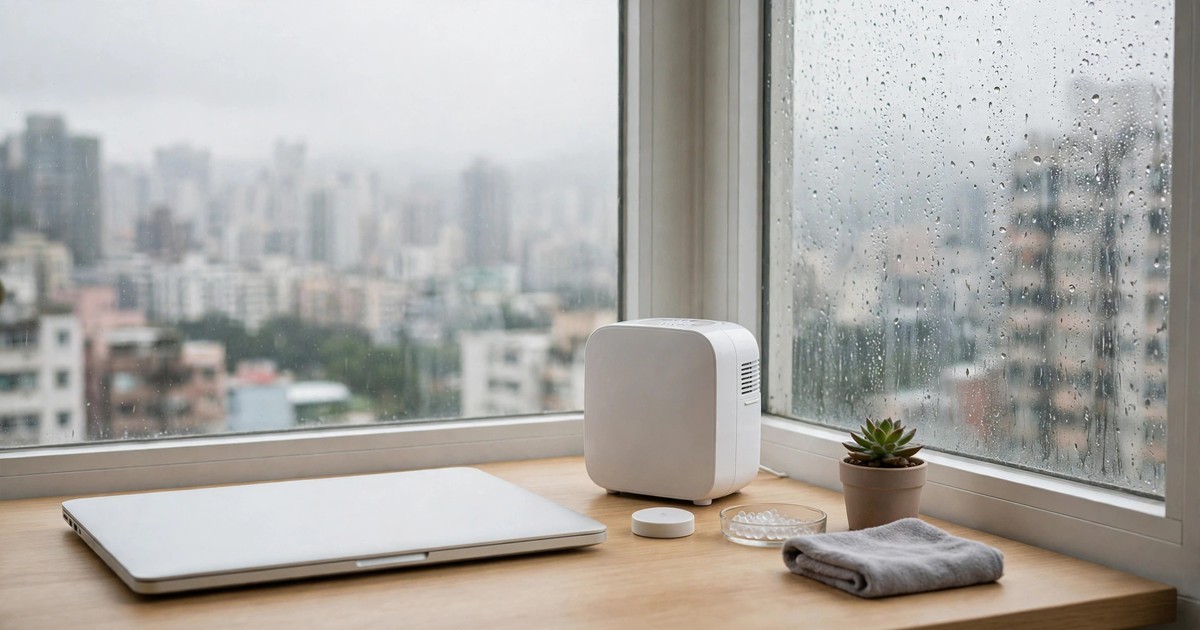
Key Summary
The moment that hurts a computer most in Hong Kong's damp season is not a rainy day itself. It is the lack of preparation before the damp arrives, and switching the machine on while it is still warming up from cold to humid air. This article does not repeat why Hong Kong computers overheat (see our article #73). It gives you one timetable: what to check on each of the seven days before the damp season, how to use a hygrometer reading on a damp morning to decide whether to switch on, which three situations mean you must wait until everything is dry, and which well-meaning habits actually bring in more moisture. Every step is marked as something you can do yourself or something where you must stop. All service charges are subject to individual quotation.
Introduction
Every year from March to May, Hong Kong has days like this: you wake up to wet floors, damp walls, misted windows, a fogged bathroom mirror, and laundry that never seems to dry. Many people only think about their computer on those days — the fan sounds louder, the case feels slightly sticky, boot-up feels a little slower. Then two extremes appear: one group ignores it completely and carries on as normal; the other turns the dehumidifier and air conditioning to maximum and points a hair dryer at the machine, assuming drier and faster is better. Both approaches are wrong.
First, let us be clear about how this article divides the work, so it does not feel like something you have already read. Our article #73 already explained how humidity affects cooling, how to tell normal warmth from real overheating, how often cleaning makes sense, and how to judge by temperature data instead of by touch. That article is the "why" and the "how to tell". This article is the "when, and in what order" — a timetable built around time. Its focus is preparation before the damp season and switch-on decisions on damp days. You do not need to read it from start to finish before you can act: after the first table, you can start day one of the checks right away.
One more important premise: every check below is done with the machine switched off and unplugged, and with its outside surfaces dry. Nothing in this article asks you to open the case, remove a battery, or touch a heatsink. Those steps are marked "stop" wherever they would arise. The reason is simple: opening a machine in a humid room adds a risk of its own — sweat on your hands, moisture on the desk, and static can all create a new problem while you are checking for an old one. The purpose of this checklist is to help you spot, without opening anything, which machine needs an early professional check. It is not a home repair guide.
Finally, a word about the term "damp season" as used here. It means something specific: the months when Hong Kong Observatory climate normals show persistently high relative humidity, especially March to May. Based on the Observatory's 1971–2000 monthly averages, Hong Kong's annual mean relative humidity is 78%, with March at 82%, April at 83%, and May at 84%. Those are outdoor climate figures, not a promise that your home is that humid every day — indoor humidity depends heavily on dehumidifying, ventilation, cooking, and drying laundry. That is why this whole article teaches you to read your own hygrometer, rather than following the calendar blindly.
Section 1: Back up first, then check — get the order wrong and the check itself becomes the risk
Most people start a computer check by switching the machine on, opening software, and running tests. Before the damp season, that order should be reversed: confirm your backup first, then do anything else.
The reason is practical. During a check you may move the machine, change its position, switch power on and off, and clean around the vents. In rare cases, any one of those actions can tip an already unstable machine over the edge. If your important files exist only inside that one machine, the check stops being prevention and becomes a gamble. If you already have another copy elsewhere, you check with a completely different mindset, and finding a problem does not turn into a panic.
How to back up is not re-taught from scratch here, because this site already has a dedicated backup strategy article (see backup-strategy-hk) and a snapshot protection article (see article #117, nas-snapshot-protection). Here are only the minimum requirements before a check, all three of which matter:
First, confirm that your most important files exist somewhere other than inside the machine itself. An external drive, another computer, or cloud storage all count. The key point is "outside the machine".
Second, confirm that the backup actually opens. A backup file existing does not mean it is usable, especially for an external drive that has not been plugged in for a long time. Before the check, open one file from the backup and confirm it is not damaged.
Third, keep your important passwords and account details somewhere safe. Our article #118 on iPhone switch-on recovery made the same point: many recovery steps stall at the end because a password has been forgotten. Computers are no different, especially for encrypted backups and account logins. Confirm them before the check, not when you discover you need a restore.
Only after those three are done should you start the seven-day timetable below. If you find the backup itself has a problem, your first priority is not the check — it is fixing the backup. A check can wait a few days. A failed backup cannot.
Section 2: The seven-day pre-season timetable — one job a day, not everything at once
Why spread it over seven days? Because damp-season preparation is made of different kinds of jobs: some are observation, and you need several days to see a change; some are repositioning, and you need to see whether moving the machine helped; some involve buying something, and you need time to buy and try it. Do everything at once and you cannot tell which change worked, and you cannot follow up properly.
The table below is the core of this article. Every daily check can be done without opening the machine and without professional tools.
Table 1: Seven-day pre-damp-season check timetable
| Day | Check | How to do it | What "good" looks like | If it is not good |
|---|---|---|---|---|
| Day 7 | Backup and passwords | Work through the three requirements in Section 1 | Backup opens, passwords can be found | Fix the backup first, postpone the checks |
| Day 6 | Baseline record | Note room temperature, hygrometer reading, idle fan sound, and boot-up time | A "before any change" set of numbers and descriptions | Without a baseline there is nothing to compare with — do not skip this day |
| Day 5 | Position check | Check whether air intakes and exhausts are blocked, how far the machine is from walls and windows, and whether the desk is cluttered | Intakes and exhausts clear, machine not against a wall or window | Move it, then check fan behaviour again a day later |
| Day 4 | Hygrometer position | Check where the hygrometer sits and how far it is from the dehumidifier outlet and the window | Hygrometer near where you normally sit, not in direct dehumidifier airflow, not in direct window sun | Move it, then read it again after half a day |
| Day 3 | Dehumidifier and air-conditioning combination | Try running the dehumidifier and air conditioning together and note how the area near the machine feels and how the hygrometer changes | Hygrometer falls slowly, no hot air blowing straight into the machine's intake | Reposition the dehumidifier so its outlet does not blow at the machine |
| Day 2 | Cables and plugs, outside appearance | Look at power cables, plugs, and ports for water marks, discolouration, or unusual smells | Outside dry, no water marks, no unusual smell | Any water mark or smell: unplug and stop using it, send it for inspection |
| Day 1 | Switch-on comparison | Using the same programs and load as usual, compare with the Day 6 baseline | Fan sound and boot time about the same as baseline, or better | Clearly worse than baseline is a signal to send it for inspection, not to wait out the damp season |
Why the Day 6 baseline matters so much
The Day 6 record looks like the dullest job, but it is the most useful. Many damp-season changes creep in slowly: the fan is a little louder today, then seems fine tomorrow, and from memory alone you cannot judge whether it really got worse. With a baseline, you can compare "the same program, a similar room temperature, the same load". Article #73 explained this method in more detail; here the reminder is simply that the baseline must be recorded before you change anything. A record made after you moved the machine is not a baseline — it is a result.
The baseline does not need to be precise. You do not need to write down an exact temperature that counts as acceptable, because the normal range differs by model and by program. What you need is relative change: for example, "normally, with documents and a browser open, the fan only speeds up occasionally, and boot-up to usable takes about this long". Those descriptions are enough for later comparison.
Three blind spots in the Day 5 position check
The first blind spot is a laptop on a bed, on bedding, or on your lap. Soft surfaces press against the bottom air intake and cut cooling immediately. When you check, do not only look at the machine on the desk — look at where you actually use it most.
The second blind spot is a desktop tower pushed too close to a wall, or placed inside a cabinet. Hot air comes out with nowhere to go, so it builds up inside the cabinet, and the fan ends up circulating hot air even at full speed. When you check, feel whether the exhaust at the back is blocked, not just whether the front looks tidy.
The third blind spot is the window. Many people push a desk to the window for better light, leaving the machine beside the window long-term. In the damp season, the window area is one of the places most likely to condense moisture and let damp in. When you check, ask yourself: when it rains, does water splash onto the desk? Does the window fog up and bead with water? If so, the machine should sit a little further from the window. Do not trade a damp position for better light.
Section 3: Where to put the hygrometer — put it in the wrong place and the whole check reads the wrong number
A hygrometer is cheap and easy to buy, but in the wrong place its reading can be far from the spot where you actually sit. These are the four placement mistakes to check on Day 4, all common in homes.
First, do not put it near the dehumidifier outlet. Dehumidifier exhaust is dry, warm air, so a hygrometer there reads low and makes you think the whole room is dry when the spot where you sit is still humid.
Second, do not put it in direct sun at the window, or where the window condenses. Window humidity is the most affected by outdoor conditions, so the reading swings up and down and does not represent the air near the machine.
Third, do not put it by the kitchen door, the bathroom door, or next to a drying rack. Humidity in those spots spikes briefly with cooking, showering, and drying laundry, so the reading is unstable and does not represent the corner where you use the computer.
Fourth, do not put it inside a cabinet, a drawer, or a corner blocked by objects. A hygrometer needs moving air to mean anything. Locked in a closed space, it only reflects that small space, not the room.
The correct approach is simple: put the hygrometer near where you normally sit to use the computer, roughly at desk height, a little away from the wall, and not hidden behind other objects. After moving it, wait half a day before reading it again, because the hygrometer itself needs time to settle with its surroundings. What you want from the check is not one perfectly accurate number, but a stable reading you can compare day after day.
One more point: different brands of hygrometer can read differently. You do not need to buy several to chase the most accurate one. The point is to use the same hygrometer, in the same place, and watch the trend day by day. If today is much higher than yesterday, or if it stays high for several days in a row at a level you find uncomfortable, that is the signal to act. You do not need to wait for a specific number.
Section 4: Switch-on decisions on damp days — three situations, three responses
After the seven-day check, a damp day asks you only one question each morning: do I switch on today, and how? This table answers it.
Table 2: Damp-day switch-on decision table
| What you see | What to do | What not to do |
|---|---|---|
| Machine surface dry, desk dry, hygrometer reading about the same as usual | Switch on as usual, but check whether fan sound and boot time differ much from baseline | Do not stop using the machine out of damp fear — long-term non-use is not maintenance either |
| Machine surface slightly damp to the touch, desk damp, or the machine has just been brought from a cold environment into a warm, humid room | Wipe the surface dry first, wait until the surface is fully dry and its temperature is close to room temperature, then switch on; start with light work, not heavy work | Do not charge immediately, do not start games or video editing immediately, do not use a hair dryer on hot air to dry it |
| Obvious water droplets on the surface, or you suspect water has got inside, or you smell something unusual, or there are water marks near a plug | Do not switch on, do not charge, disconnect power; keep the machine in a ventilated, dry place and wait for professional inspection; if the battery shows swelling, do not move it around | Do not press the power button repeatedly to see if it starts, do not shake the machine, do not open it yourself to look inside |
Why the "cold to warm" moment is the most dangerous
This is the single mechanism most worth remembering in this article. Article #73 mentioned it from a cooling angle; here it is framed as a switch-on decision.
The principle is simple: when the machine's surface temperature is below the dew point of the surrounding air, moisture in the air condenses on the surface. Common Hong Kong scenarios are a machine taken from an air-conditioned room into a room without air conditioning; a machine brought home from a strongly air-conditioned office into a warm, humid home; or a machine left in a car overnight and brought indoors in the morning. In these cases the surface may carry a thin film of moisture you cannot see, and if you switch on, charge, and start heavy work, moisture plus electric current plus heat combine into the worst possible mix.
The correct response is not to stop using the machine, but to give it time. Wait until its temperature has settled with its surroundings and its surface is dry before switching on. There is no single waiting time that fits every case, because it depends on how big the temperature gap is and how humid it is. Use a fully dry surface and the absence of a cold-to-the-touch feeling as your reference — and if you have any doubt, wait longer rather than rushing. That waiting time is a good moment to do the backup check or watch the hygrometer change.
How to combine air conditioning and a dehumidifier without making things worse
Many people assume that turning the air conditioning to maximum on a damp day is the same as dehumidifying. In fact, the two do different jobs, and a bad combination can create a new problem.
First, dehumidifier exhaust is warm air. If that outlet points at the machine's air intake, the machine breathes in warm air and its cooling conditions get worse. That is exactly what the Day 3 check is for: keep distance between the dehumidifier and the machine, and never let the outlet blow straight into an intake.
Second, air conditioning set far too cold makes the temperature gap bigger, so condensation risk rises as soon as you switch off or leave the room. The goal on a damp day is not to turn the room into a refrigerator, but to keep humidity in a stable range without sharp temperature swings. Think of the two separately: the dehumidifier lowers humidity, the air conditioning stops the temperature from climbing too high. They work together, but one should not be used as a substitute for the other.
Third, do not open a window to "ventilate" moisture away unless you are sure the outside air is drier than the inside air. In the damp season, outside air is often wetter than inside air, and opening a window only brings more moisture in. Before opening a window, check the hygrometer and think about whether it is raining or foggy outside. If outside is clearly wetter, keep the window closed and run the dehumidifier instead.
Section 5: Five common mistakes — well-meaning habits that make things worse
All five mistakes below come from good intentions, but all of them make the situation worse. When you do the check, ask yourself about each one in turn.
Mistake 1: Using a hair dryer on hot air to "dry the machine"
Hot air raises local temperature sharply, which can affect plastic parts, the battery, and the screen, and it may push surface moisture into gaps rather than removing it. The correct approach is natural air-drying and waiting, not forcing it with heat.
Mistake 2: Switching on immediately after wiping the surface
Wiping a surface dry does not mean the inside is dry, especially around keyboard gaps, ports, and vents, where moisture may still sit. After wiping, wait until the surface and ports are fully dry before switching on. If you are in a hurry, use another machine or your phone for now rather than rushing this one.
Mistake 3: Pressing the power button repeatedly to see if it will start
A machine that will not start does not get better from repeated attempts, and every power-on is another risk. This matches the principle in article #118 on iPhone switch-on recovery: when it will not start, stop, record what you see, disconnect power, and send it for inspection. Do not use repeated switch-ons to "test your luck".
Mistake 4: Keeping the machine by the window or on the floor for cooling
Windows and floors are the dampest spots in the damp season. On a damp morning, the floor gets wet first, so a machine on the floor has its intake closest to the moisture. Cooling needs ventilation, but ventilation does not mean sitting in the dampest spot. A desk surface, off the floor, away from the window, is the position that serves both needs.
Mistake 5: Assuming that buying a dehumidifier finishes the job
A dehumidifier needs its water tank emptied and its dust filter cleaned to keep working. If the tank fills and the machine stops automatically without you noticing, the machine spends the whole night in high humidity. During the check, look at the dehumidifier's tank and filter as well. That job takes less than a minute, but many people never do it through an entire damp season.
Table 3: Do and do not — the damp season in one line each
| Situation | Do | Do not |
|---|---|---|
| Before the damp season | Back up first, record a baseline, check one thing a day | Move everything at once, open the machine to clean it yourself |
| On a damp morning | Check the hygrometer, check whether surfaces are dry, then decide how to switch on | Switch on without looking, charge and start heavy work straight away |
| From cold to warm | Wait until dry, wait until temperature settles, start with light work | Switch on immediately, charge immediately, use hot air to dry it |
| When you see droplets or smell something unusual | Disconnect power, stop using it, send it for inspection | Press power repeatedly, shake it, open it yourself |
| After the damp season | Verify the backup again, compare with baseline, write down what worked | Assume the season being over means no follow-up, keep no record of the experience |
Section 6: After the damp season — do this step so next year does not start from zero
After the damp season passes, most people breathe a sigh of relief and then forget the whole thing. Next year, the same season arrives and they start from zero again. This section exists to break that cycle.
Within a week after the damp season, do three things. First, verify the backup again, to confirm nothing during the damp season made it unusable. Second, compare with the Day 6 baseline, to see whether fan sound, boot time, and hygrometer readings have returned to pre-season levels. If they have not, that is a signal the machine may need a check, not something that will "naturally get better now the season is over". Third, write down what worked best this year, which spot was dampest, and which position change helped. It does not need to be formal — a few lines in a phone note are enough. Next year, opening that note saves a lot of time.
If you met any "stop" situation during the damp season — for example, you saw droplets, smelled something unusual, or the machine switched itself off — you should record it and consider an inspection even if the machine seems fine afterwards. Many problems do not explode immediately; they build up slowly. A record gives the next check a clue to work from.
Section 7: When to stop and send it for inspection — do not use a checklist as a substitute for repair
This whole article is about checks that need no opening of the machine. The purpose of those checks is to help you spot the signals for inspection earlier, not to replace inspection. If any of the following appears, stop your own checks and send the machine for inspection. Charges are subject to individual quotation.
- An unusual smell, especially a burnt or chemical smell.
- Unexplained restarts or automatic shutdowns that line up with the damp season.
- Signs of battery swelling, such as a deformed case, a raised keyboard, or a screen that will not close properly. In that case do not poke it, do not press it, and do not keep charging it. See this site's laptop battery swelling article, laptop-battery-swelling-safety-guide, for details.
- You suspect water has got inside, or you have seen water marks near a plug.
- The fan has stopped completely, makes a grinding sound, or stops and starts intermittently, and comparison with baseline confirms this is a new change.
- The machine has had water in it. Water damage handling is outside the scope of this checklist article. See this site's liquid damage article, mac-liquid-damage-emergency-5-steps, and send it for inspection as soon as possible instead of opening and cleaning it yourself.
When you send it for inspection, take your baseline record and the changes you observed during the damp season with you. Those records are very useful to the person doing the inspection, because they can match the problem to when it appeared and what may have caused it. You do not need professional terminology. Stating the facts you saw is enough: when it started, where it was, what you were doing when it happened, and whether it happened again.
Frequently Asked Questions
Q: I have no hygrometer. Can I just use the Observatory's humidity figure to decide?
A: The Observatory figure is useful outdoor background, but it cannot replace a reading from inside your home. Indoor humidity is strongly affected by dehumidifying, ventilation, cooking, and drying laundry, and can differ greatly from outside. A low-cost hygrometer placed near where you use the computer is enough for daily comparison. Without a hygrometer, you can use whether surfaces are dry and whether walls and windows bead with water as references, but those signs appear later than a hygrometer reading.
Q: Should I leave the dehumidifier running all the time during the damp season?
A: Not "the longer the better", but "keep it stable". A dehumidifier needs its tank checked and its filter cleaned. If it runs unattended, fills up, and stops without you noticing, the machine spends the whole night in high humidity, which is worse. Check the hygrometer and the tank once a day to confirm the dehumidifier is actually running, not just switched on.
Q: Does setting the air conditioning to its coldest give the best dehumidifying effect?
A: No. Air conditioning set far too cold increases the temperature gap, so condensation risk rises as soon as you switch off or leave the room. The goal on a damp day is stable humidity without sharp temperature swings, not the coldest possible room. Treat dehumidifying and cooling separately: the dehumidifier handles humidity, the air conditioning stops temperature from climbing too high.
Q: I brought my machine out of an air-conditioned room and its surface has no droplets. Can I switch it on right away?
A: No droplets on the surface does not mean there is no moisture inside, especially around ports and gaps. The safe approach is to wait until the surface temperature is close to room temperature and it no longer feels cold to the touch, then switch on and start with light work. If you are in a hurry, wait a little longer rather than starting heavy work immediately.
Q: Is the check different for laptops and desktop computers?
A: The broad principles are the same, but the blind spots differ. Laptops most often suffer from being placed on beds, bedding, or laps, which block the bottom intake. Desktops most often suffer from a tower pushed too close to a wall, placed inside a cabinet, or placed on the floor. Check according to where your machine actually sits, rather than copying one list for both.
Q: Does doing the pre-season check mean nothing will go wrong during the damp season?
A: No. A check lowers risk and helps you spot problems early; it cannot ensure nothing goes wrong. During the damp season you still need to check the hygrometer daily and watch for changes in fan sound and boot time. If a change appears suddenly, stop and send the machine for inspection even if you completed the full check — do not delay because "I did all the checks".
Q: I saw a small water mark near a plug, but the machine still starts. Can I keep using it?
A: Do not keep using it. A water mark near a plug is already a stop signal. Continuing to power it only increases the risk. Disconnect power, stop using it, and send it for inspection, taking note of where and when you saw the mark so the inspector can judge faster.
Q: How is this article different from article #73? Which one should I read?
A: Article #73 explains why Hong Kong computers overheat easily, how to tell normal warmth from real overheating, cleaning frequency, and temperature monitoring methods. This article covers only the seven days of checks before the damp season and how to decide whether to switch on during damp days. If you have not read #73, read both: #73 gives you the principles, and this article gives you the timetable to follow.
Summary
What hurts a computer most in the damp season is not one humid day, but two moments: the lack of preparation before the damp arrives, and switching on while the machine is still warming up from cold to humid air. What this article gives you is not a new repair technique, but a timetable — one job a day for seven days before the damp season; on a damp morning, check the hygrometer and whether surfaces are dry before deciding how to switch on; and when you see droplets or smell something unusual, stop and send it for inspection right away. Following those three steps already avoids most of the well-meaning habits that make things worse.
If, after the seven-day check, you find current performance far from baseline, or you met any stop situation, do not wait until the next damp season. Charges are subject to individual quotation, and taking your baseline record with you to inspection is already the most useful preparation you can make.
Sources
- Apple technical specifications for various models: operating temperature 10°C to 35°C, relative humidity under non-condensing conditions (ranges vary slightly by model; check your own model's specification page).
- Hong Kong Observatory climate normals (1971–2000 monthly averages): annual mean relative humidity 78%, March 82%, April 83%, May 84%.
- This site, article #73, hk-humidity-overheating: how humidity affects cooling, telling normal warmth from real overheating, and temperature comparison methods.
- This site, article #117, nas-snapshot-protection: snapshot protection and backup verification concepts.
- This site, backup-strategy-hk: backup strategy.
- This site, article #118, iphone-wont-turn-on-data-recovery: the principle of not repeatedly switching on a machine that will not start.
Frequently Asked Questions
I have no hygrometer. Can I just use the Observatory's humidity figure to decide?
The Observatory figure is useful outdoor background, but it cannot replace a reading from inside your home. Indoor humidity is strongly affected by dehumidifying, ventilation, cooking, and drying laundry, and can differ greatly from outside. A low-cost hygrometer placed near where you use the computer is enough for daily comparison. Without a hygrometer, you can use whether surfaces are dry and whether walls and windows bead with water as references, but those signs appear later than a hygrometer reading.
Should I leave the dehumidifier running all the time during the damp season?
Not "the longer the better", but "keep it stable". A dehumidifier needs its tank checked and its filter cleaned. If it runs unattended, fills up, and stops without you noticing, the machine spends the whole night in high humidity, which is worse. Check the hygrometer and the tank once a day to confirm the dehumidifier is actually running, not just switched on.
Does setting the air conditioning to its coldest give the best dehumidifying effect?
No. Air conditioning set far too cold increases the temperature gap, so condensation risk rises as soon as you switch off or leave the room. The goal on a damp day is stable humidity without sharp temperature swings, not the coldest possible room. Treat dehumidifying and cooling separately: the dehumidifier handles humidity, the air conditioning stops temperature from climbing too high.
I brought my machine out of an air-conditioned room and its surface has no droplets. Can I switch it on right away?
No droplets on the surface does not mean there is no moisture inside, especially around ports and gaps. The safe approach is to wait until the surface temperature is close to room temperature and it no longer feels cold to the touch, then switch on and start with light work. If you are in a hurry, wait a little longer rather than starting heavy work immediately.
Is the check different for laptops and desktop computers?
The broad principles are the same, but the blind spots differ. Laptops most often suffer from being placed on beds, bedding, or laps, which block the bottom intake. Desktops most often suffer from a tower pushed too close to a wall, placed inside a cabinet, or placed on the floor. Check according to where your machine actually sits, rather than copying one list for both.
Does doing the pre-season check mean nothing will go wrong during the damp season?
No. A check lowers risk and helps you spot problems early; it cannot ensure nothing goes wrong. During the damp season you still need to check the hygrometer daily and watch for changes in fan sound and boot time. If a change appears suddenly, stop and send the machine for inspection even if you completed the full check — do not delay because "I did all the checks".
I saw a small water mark near a plug, but the machine still starts. Can I keep using it?
Do not keep using it. A water mark near a plug is already a stop signal. Continuing to power it only increases the risk. Disconnect power, stop using it, and send it for inspection, taking note of where and when you saw the mark so the inspector can judge faster.
How is this article different from article #73? Which one should I read?
Article #73 explains why Hong Kong computers overheat easily, how to tell normal warmth from real overheating, cleaning frequency, and temperature monitoring methods. This article covers only the seven days of checks before the damp season and how to decide whether to switch on during damp days. If you have not read #73, read both: #73 gives you the principles, and this article gives you the timetable to follow.