Computer Maintenance · October 29, 2026 · ComputerKing Team
After a Heat Shutdown in Hong Kong's Humid Weather: A 24-Hour Follow-Up and How to Tell a One-Off From a Repeat Problem
When a computer shuts itself down from heat in humid weather, the shutdown itself is not a conclusion, only a signal: let the machine cool completely, record the workload and room conditions at the moment it shut down, test in two steps — light work first, then the same workload — and use three comparisons to decide whether it was a one-off or a repeat problem.
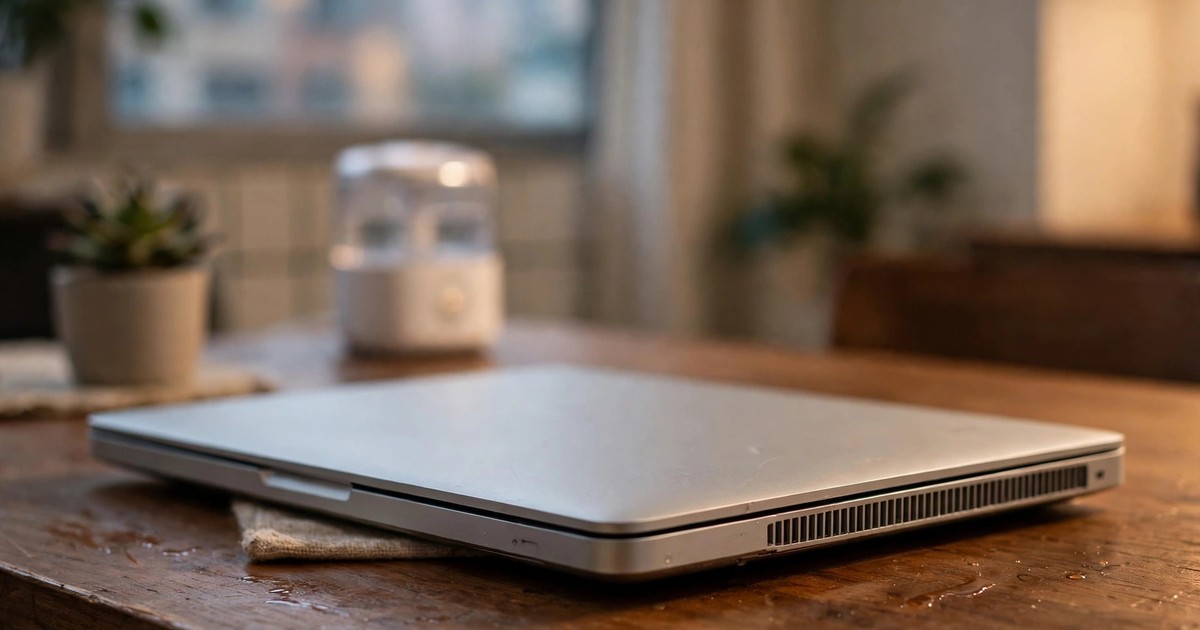
Key summary: When a computer shuts itself down from heat in humid weather, the shutdown itself is not a conclusion, only a signal. This article does not repeat heat prevention or symptom triage. It covers only the 24 hours after a heat shutdown: let the machine cool completely, record the workload and room conditions at the moment it shut down, then test in two steps — light work first, then the same workload — and use three comparisons to decide whether it was a one-off or a repeat problem. If you notice a strange smell, a swollen battery, a fan that has stopped completely, or a machine that shuts down as soon as it starts, stop and send it for inspection. Charges are subject to individual quotation.
Introduction: how this article differs from the earlier humidity guides
Many Hong Kong users have lived through this: the fan gets louder and louder, the screen suddenly goes black, and the machine switches itself off. After restarting it seems fine, so you carry on, and a few days later it shuts down again. The problem is often not a lack of prevention. It is a lack of follow-up: nobody recorded when it shut down, and nobody tested whether it only shuts down under the same conditions, so every shutdown gets treated as a one-off until it becomes a repeat problem.
This site already has three articles on humidity and heat. This article does not repeat them. It adds one layer on top of them:
- Article 73, hk-humidity-overheating: why Hong Kong's humid weather makes computers overheat more easily, basic cooling and dust cleaning, and how to monitor temperature.
- Article 94, hk-humidity-overheating-triage-indoor-settings: symptom triage — how to separate heat, dampness and ageing — plus indoor settings for the whole year.
- Article 119, hk-humidity-pre-season-check: a seven-day checklist before the damp season, and rules for before and after switching on.
This article has a narrow scope: only what to do in the 24 hours after a heat shutdown has already happened. If your machine has never shut down and only feels warm, read those three articles first. If it has already shut down, this is your next step.
One boundary first: every step here needs no opening of the machine. Anything that involves opening the case, removing the battery, or removing a heat sink is outside this article and should be left to the person doing the inspection. Your job is to observe, record, and decide when to stop.
Section 1: Five things to do the moment it shuts down
The worst reaction after a heat shutdown is to press the power button again immediately. A thermal protection shutdown means the machine was already hot enough to protect itself by cutting power. Switching it on again at once, and going straight back to the same heavy work, only heats it up again before it has cooled. The correct first step is to pause and look at the scene.
First, smell and look for danger signals. If you smell burning or chemicals, or you see a deformed case, a raised keyboard, or a screen that will not close properly, these may point to a swollen battery or another hardware problem. Do not charge it again, do not switch it on again, do not poke it and do not press it. Send it for inspection at once. See this site's article 65, laptop-battery-swelling-safety-guide, for details.
Second, write down four things about the shutdown while you still remember them: what work you were doing (for example a video call, video editing, or just a browser open), where the machine was (on a bed, on a sofa, or on a desk), whether the air vents were covered, and whether a dehumidifier or air conditioning was running in the room. These four facts will matter later when you decide whether it was a one-off or a repeat problem, and memory a few days later will not be reliable.
Third, let the machine cool completely on a ventilated, hard desk surface. Do not put it on bedding or a pillow, and do not try to freeze it quickly with ice, a refrigerator, or a fan blasting into the vents. Rapid cooling will not fix a cooling system, and in humid weather it can make the temperature-difference problem worse: the surface feels cold while the inside is still hot, and the gap grows again once you switch on. Wait until the case no longer feels hot to the touch and feels close to room temperature before thinking about switching on.
Fourth, check the outside of the vents for obvious blockage: desk clutter, cloth, paper, or other objects covering the vents. This step only looks at the outside. Do not push anything into the vents, and do not open the machine to clean dust. Apple's guidance for Mac laptops follows the same principle: use the laptop on a stable surface with good ventilation, do not cover the keyboard, and do not put anything into the ventilation openings.
Fifth, before switching on, be clear about the purpose of this start-up: is it to check whether your files still open, or to rush back to the work you were doing? If it is to rush back, pause. The first start-up after a shutdown should confirm that the machine starts and that files open. It should not go straight back to the heaviest work. Rushing back to heavy work is the most common cause of a second shutdown.
Section 2: How to tell a one-off from a repeat problem: three comparisons, not feelings
The difference between "it shut down once in a while" and "there is a repeat problem" is not how serious it feels. It is whether you have a comparison. Each of the three comparisons below uses only things you already know how to do, and needs no professional tool.
The first comparison is the idle comparison. After the machine has cooled, switch it on and do nothing heavy — just leave the desktop open — and watch whether the fan grows louder on its own, whether the machine feels very hot with no heavy work, or whether it shuts down again. Heat or a shutdown while idle deserves more attention than heat during heavy work, because it shows the problem is not simply "that job was too heavy".
The second comparison is the same-workload comparison. Repeat the same work, the same program, and the same length of time that was running when it shut down, on the same desk and in the same room. If the same workload brings back a roaring fan, obvious slowdowns, or another shutdown, it is not a one-off. If the same workload runs through cleanly, the first shutdown may have been tied to the conditions at the time, such as a vent that was covered or a room that was unusually stuffy.
The third comparison is the environment comparison. Move the machine to another ventilated, hard desk surface in a room with a dehumidifier or air conditioning running, and do the same light work. If it behaves normally in the new environment, the environment is a strong suspect. If it behaves the same way in the new environment, the machine itself — its cooling or another hardware issue — is a stronger suspect. The point of this comparison is not to prove who is right, but to give the inspector facts: under which conditions it happens, and under which conditions it does not.
| Comparison | How to do it | What the result means |
|---|---|---|
| Idle comparison | After cooling, switch on and do no heavy work, just leave the desktop open and observe | Heat, loud fan or shutdown while idle: not simply a workload problem, prioritise inspection |
| Same-workload comparison | Repeat the same work, program and duration that was running at shutdown, in the same room | Same workload causes trouble again: repeat problem is likely; runs cleanly: the first event may have been tied to conditions at the time |
| Environment comparison | Move to a ventilated hard desk in a room with dehumidifying or air conditioning, and do the same light work | Normal in the new environment: environment is a strong suspect; same in the new environment: the machine itself is a stronger suspect |
Only after all three comparisons can you fairly say "it looks like a one-off" or "it looks like a repeat problem". A judgement with no comparison is only a feeling. It will not help the inspector, and it gives you no baseline for your own follow-up.
Section 3: The 24-hour follow-up timetable
The 24 hours after a shutdown can be split into three stages. Each stage has one clear purpose. This timetable does not ask you to watch the machine all day. It asks you to know, before each use, what that use is meant to verify.
| Time window | Purpose | What to do |
|---|---|---|
| First hour after shutdown | Cool down and record | Do not switch on; record the work, position, vent state and room conditions at shutdown; check for smell and battery swelling signals; only think about switching on once the case has cooled completely |
| Hours 1 to 6 | Light-work verification | After switching on, do light work only (for example opening documents or browsing) and confirm files open; observe fan behaviour and how hot it feels while idle and under light work; stop at once on any red flag, do not move to the next stage |
| Hours 6 to 24 | Same-workload retest | On a ventilated hard desk, repeat the same workload that was running at shutdown; record the result: clean run, slowdown, abnormal fan, or another shutdown; write a one-page summary for inspection or continued observation |
Why split light work from the same-workload retest? Because jumping straight to the same workload leaves you unable to tell whether the machine was simply not yet cool, or whether that workload truly reheats it. A clean light-work check shows the machine is normal in its basic state. A same-workload retest shows whether the trigger condition genuinely repeats.
One more habit matters: record every observation within these 24 hours — date, time, what you were doing, and the result. Four short lines are enough; it does not need to be a report. When you send the machine for inspection, hand over that page. The inspector will not have to rely on "I think it shut down again last week". They will see which day, under which conditions, and with which result.
Section 4: Six common mistakes
Mistake 1: Switching on immediately after shutdown, and going straight back to the same heavy work
This is the most common mistake. A machine that has not cooled, pushed straight back into heavy work, is like asking someone who has just cramped up from running to run again at once. The correct order is cool down, light-work verification, then the same-workload retest.
Mistake 2: Letting the machine "cool down" on a bed, sofa or bedding
Soft surfaces cover the bottom and side vents, so cooling is slower, not faster, and cooling after start-up is worse. Cooling and switching on should both happen on a hard desk surface with ventilation. Apple's guidance says the same: do not use a laptop on a bed, a pillow, or under bedding.
Mistake 3: Using ice, a refrigerator, cold water or a wet cloth to freeze the machine quickly
Rapid freezing will not repair a cooling system. In humid weather, freezing the surface and then switching on can make the moisture problem more complicated as the temperature gap grows, and a wet cloth should never touch vents or ports. Cooling should come from time and ventilation, not from freezing.
Mistake 4: Cleaning dust, opening the machine, or replacing thermal paste right after a shutdown
After a shutdown, the urge to "do something at once" is strong. But opening the machine, cleaning inside, or replacing thermal paste carries its own risks, can damage other parts if done badly, and makes it harder for an inspector to judge the original problem later. Observation and recording are your job. Opening the machine is the inspector's job.
Mistake 5: Treating "it did not shut down this time" as "the problem is gone", with no record and no retest
One clean run does not prove the problem is gone, especially if that run did not use the same workload or the same environment. A "no problem" with no record will be forgotten a month later, including which conditions applied. Only after all three comparisons can you call it a one-off.
Mistake 6: Smelling burning, seeing a swollen battery, and still thinking "let me try once more"
Smell and battery swelling are not observation items. They are stop signals. Do not charge again, do not switch on again, do not poke and do not press. Send it for inspection at once. Any "one more try" can make the situation worse.
Prevention: so the next humid spell does not need another follow-up
Full prevention is already covered in articles 73, 94 and 119. This article only adds three habits that connect directly to shutdown follow-up. First, keep the shutdown record. It becomes the baseline for next time: if it shuts down again, you can compare directly whether it was the same work, the same position, and the same environment. Second, before switching on, check whether the vents are covered. That check takes ten seconds, yet it prevents many "it was fine last year, why did it shut down this year" cases — often the machine did not get worse, the desk layout changed. Third, keep important files backed up somewhere other than the machine itself. A shutdown does not necessarily mean data loss, but if you have never backed up, every shutdown becomes a data crisis. For backup strategy, see this site's article 79, backup-strategy-hk.
FAQ
Q: My computer shut down once from heat, then worked normally again. Does that mean there is no problem?
A: Not yet. One normal run only shows that it did not shut down under those conditions. Until you have done the same-workload comparison and the environment comparison, you cannot rule out a repeat problem. After all three comparisons you can call it a one-off; before that, you can only say it has not happened again yet.
Q: How long should I wait after a shutdown before switching on again?
A: There is no fixed number of minutes that fits every model. The rule is that the case no longer feels hot to the touch and feels close to room temperature, and that the machine is on a ventilated hard desk surface. Switching on while it is still hot only raises the chance of another shutdown. It does not save time.
Q: Can I blow a fan at the machine, or put it under an air-conditioning outlet, to cool it faster?
A: Ventilation itself is fine, but do not use a freezing method, and do not let the surface get very cold and then go straight into heavy work. The goal is a steady return to room temperature, not a large gap between the surface and the inside. After cooling, do the light-work verification first.
Q: What does it mean if it feels very hot and the fan is loud even while idle?
A: It means the problem is not simply "that job was too heavy". Heat while idle should be sent for inspection as a priority, without another heavy-work test. When you send it in, say clearly that it happens while idle. That information matters, because it rules out workload as the explanation.
Q: It shut down again during the same-workload retest. What should I do?
A: Stop at once. Do not try a third time. Record the work, position, environment and time gap for both shutdowns, and send them together with the first record for inspection. Two repeat events are already enough to call it a repeat problem. You do not need a third piece of evidence.
Q: I can smell burning, but the machine still switches on. Can I keep using it for now?
A: No. A burning smell is a stop signal, not an observation item. Do not charge it again and do not do heavy work on it. Send it for inspection at once. Continuing to use it can turn a checkable problem into a worse one.
Q: Is a swollen battery related to a heat shutdown?
A: The two can appear together, but do not conclude on your own which caused which. If you see a deformed case, a raised keyboard, or a screen that will not close properly, do not poke it, do not press it, and do not charge it again. Send it for inspection at once. See this site's article 65, laptop-battery-swelling-safety-guide.
Q: What should I bring when I send the machine for inspection?
A: A one-page summary is enough: the date and time of the first shutdown, the work, position and environment; the results of the three comparisons; and whether it shut down again and after how long. State facts, conditions and results. Do not decide the conclusion for the inspector. Charges are subject to individual quotation, and you can ask about the inspection and quotation process before sending it in.
Summary
The three most useful things after a heat shutdown are not switching on at once, opening the machine at once, or buying a cooling product at once. They are: first, wait until the machine has cooled completely before switching on; second, use the idle, same-workload and environment comparisons to separate a one-off from a repeat problem; third, record every result and hand over a one-page summary when you send it for inspection. With those three done, you change from "it shut down again, I am worried" to "here are the dates, the conditions and the results", and the whole inspection becomes much smoother.
If your 24-hour follow-up points to a repeat problem, do not keep putting it off. If it points to a one-off, keep the record so the next shutdown can be compared directly. And if you see any red flag — smell, battery swelling, a fan that has stopped, or a machine that shuts down as soon as it starts — stop at once and send it for inspection. Do not push through to collect more records.
Sources
- Apple Support: Keep your Mac laptop within acceptable operating temperatures (Mac laptops: ambient temperature 10 to 35 degrees Celsius, relative humidity 0% to 95% noncondensing, ventilated surface, do not cover the keyboard or put objects into vents): https://support.apple.com/en-ca/102336
- MSI Support: [Notebook] What to do when your laptop shuts down/restarts automatically? (possible causes of automatic shutdown, checking temperature, blocked vents, fan faults requiring customer service): https://www.msi.com/support/technical_details/NB_Auto_Power_off
- Hong Kong Observatory: Monthly Meteorological Normals for Hong Kong (1991-2020) (Hong Kong annual mean relative humidity about 78%, October mean 73%, March to April means 82% to 83%): https://www.weather.gov.hk/en/cis/normal/1991_2020/normals.htm
- This site, article 73, hk-humidity-overheating: Why computers overheat so easily in Hong Kong's humid weather
- This site, article 94, hk-humidity-overheating-triage-indoor-settings: Hong Kong humidity triage and indoor settings
- This site, article 119, hk-humidity-pre-season-check: Seven-day pre-season checklist before the damp season
- This site, article 65, laptop-battery-swelling-safety-guide: Laptop battery swelling safety guide
- This site, article 79, backup-strategy-hk: Backup strategy for Hong Kong users
Related Articles
- hk-humidity-overheating
- hk-humidity-overheating-triage-indoor-settings
- hk-humidity-pre-season-check
- laptop-battery-swelling-safety-guide
- backup-strategy-hk
Frequently Asked Questions
My computer shut down once from heat, then worked normally again. Does that mean there is no problem?
Not yet. One normal run only shows that it did not shut down under those conditions. Until you have done the same-workload comparison and the environment comparison, you cannot rule out a repeat problem. After all three comparisons you can call it a one-off; before that, you can only say it has not happened again yet.
How long should I wait after a shutdown before switching on again?
There is no fixed number of minutes that fits every model. The rule is that the case no longer feels hot to the touch and feels close to room temperature, and that the machine is on a ventilated hard desk surface. Switching on while it is still hot only raises the chance of another shutdown. It does not save time.
Can I blow a fan at the machine, or put it under an air-conditioning outlet, to cool it faster?
Ventilation itself is fine, but do not use a freezing method, and do not let the surface get very cold and then go straight into heavy work. The goal is a steady return to room temperature, not a large gap between the surface and the inside. After cooling, do the light-work verification first.
What does it mean if it feels very hot and the fan is loud even while idle?
It means the problem is not simply "that job was too heavy". Heat while idle should be sent for inspection as a priority, without another heavy-work test. When you send it in, say clearly that it happens while idle. That information matters, because it rules out workload as the explanation.
It shut down again during the same-workload retest. What should I do?
Stop at once. Do not try a third time. Record the work, position, environment and time gap for both shutdowns, and send them together with the first record for inspection. Two repeat events are already enough to call it a repeat problem. You do not need a third piece of evidence.
I can smell burning, but the machine still switches on. Can I keep using it for now?
No. A burning smell is a stop signal, not an observation item. Do not charge it again and do not do heavy work on it. Send it for inspection at once. Continuing to use it can turn a checkable problem into a worse one.
Is a swollen battery related to a heat shutdown?
The two can appear together, but do not conclude on your own which caused which. If you see a deformed case, a raised keyboard, or a screen that will not close properly, do not poke it, do not press it, and do not charge it again. Send it for inspection at once. See this site's article 65, laptop-battery-swelling-safety-guide.
What should I bring when I send the machine for inspection?
A one-page summary is enough: the date and time of the first shutdown, the work, position and environment; the results of the three comparisons; and whether it shut down again and after how long. State facts, conditions and results. Do not decide the conclusion for the inspector. Charges are subject to individual quotation, and you can ask about the inspection and quotation process before sending it in.