Data Recovery · April 15, 2026 · Data Recovery Expert
Hard Drive Dead? How to Recover Data — Common Causes of Recovery Failure
Deleted important files or hard drive suddenly unreadable? The most important thing is don't make it worse. One wrong step and recovery becomes impossible.
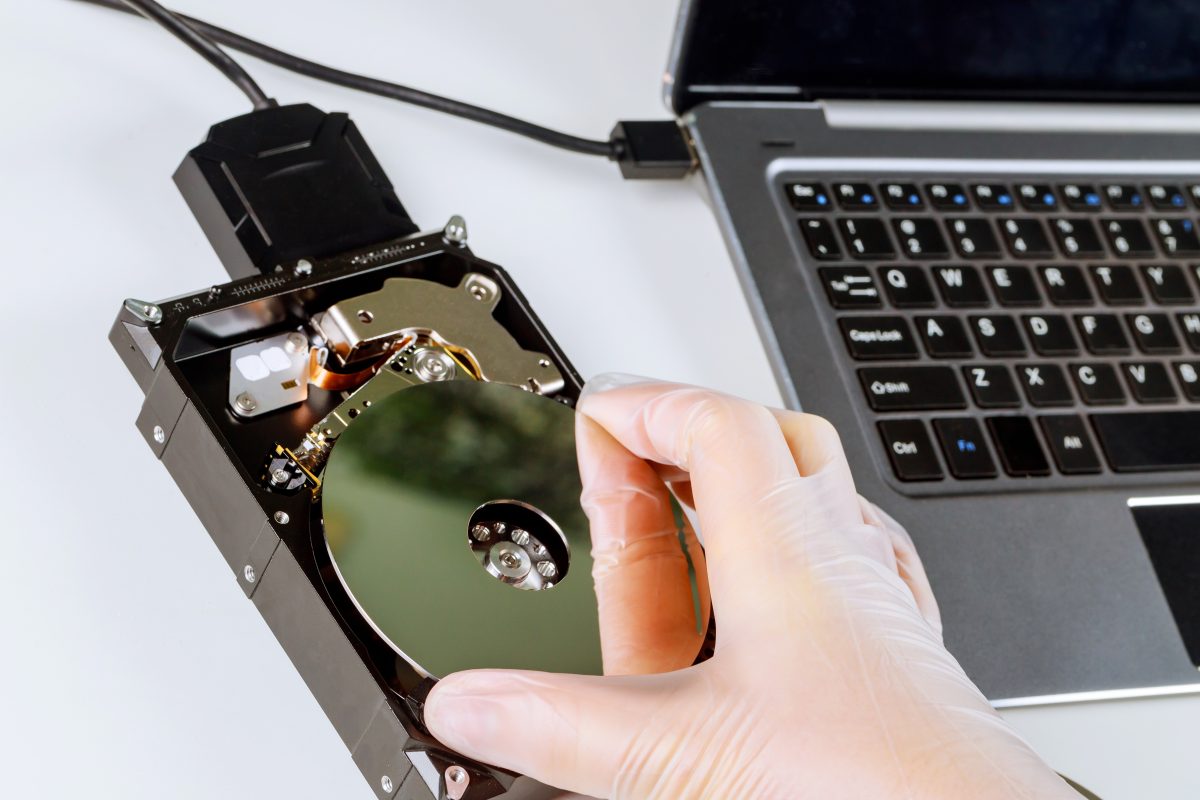
The Most Common Calls We Get
"I accidentally formatted my hard drive"
"After adding files, I can't find the previous ones"
"My external hard drive fell on the floor"
"Computer can't detect the hard drive"
These are all cases we receive daily. According to ComputerKing's internal statistics, data recovery cases have increased by over 45% in the past three years. More than 60% are caused by human error (accidental deletion, accidental formatting), with the remainder being hardware failures.
[IMAGE_SUGGESTION: Hard drive internal components alongside clean room data recovery environment]
First Thing After Disaster: Stop Everything
This is the single most important rule, but many people panic and make the wrong decision. Don't do anything more to that drive. Including:
- Don't install recovery software on it
- Don't save new files
- Don't format it
- Don't follow YouTube tutorials to DIY
Every time you write data, you overwrite original files, reducing recovery chances. We've seen many cases where data could have been 100% recoverable — but because the customer "tried to fix it themselves," the data was overwritten and only 30-40% could be salvaged.
Types of Hard Drive Failures and Success Rates
Understanding how your drive failed helps you decide whether professional recovery is worth it:
1. Logical failure (85-95% success rate): Corrupted file system, lost partition table, accidental deletion. Usually recoverable at 80%+. Common causes: sudden power loss, improper USB removal, virus attacks.
2. PCB failure (70-85% success rate): Burned circuit board. Board replacement needed, high success rate. Hong Kong's humid weather is a common cause of PCB corrosion.
3. Mechanical failure (40-70% success rate): Motor failure, clicking heads, seized bearings. Requires clean room work. Success depends on whether platters have been scratched.
4. Physical platter damage (<5% success rate): Scratched platters. Essentially unrecoverable. Can be caused by drops or head crashes.
SSD Recovery Is Especially Difficult — Why and What to Do
SSD data recovery is far more complex than traditional HDDs for three main reasons:
- TRIM function: SSDs' TRIM actually erases data from NAND flash after deletion, unlike HDDs which merely mark space as "available for overwrite." This means the golden window for SSD recovery after accidental deletion is much shorter than for HDDs.
- Controller encryption: Most modern SSDs have hardware encryption built into the controller. If the controller fails, even intact NAND chips are extremely difficult to read raw data from.
- Complex wear-leveling: SSDs distribute data across multiple NAND chips, significantly increasing the technical difficulty of recovery.
This is why SSD users need to be even more diligent about backups. This isn't a joke.
Can You Recover It Yourself? The DIY Boundary
For simple accidental deletion (recycle bin not emptied, no TRIM), you can try recovery software:
- Recuva (free, good for basic accidental deletion)
- EaseUS Data Recovery Wizard (paid, more comprehensive features)
- TestDisk (free open-source, good for partition table repair)
But remember two iron rules:
1. Install recovery software on a different drive — never on the one you're trying to recover.
2. Save recovered files to a different drive as well.
If recovery software can't scan it, or the drive makes clicking sounds (the classic symptom of head damage), stop immediately. Every additional power-on attempt increases the risk of platter scratching.
Common Data Loss Scenarios in Hong Kong
From our data recovery cases in Hong Kong, the most common scenarios include:
- NAS / RAID failure: Synology/QNAP NAS units used by SMEs, RAID rebuild failure leading to inaccessible company-wide data
- Liquid spill on notebook: Liquid seeping in and shorting the hard drive PCB — disconnect power immediately and bring it in
- External hard drive dropped: Hong Kong living spaces are tight, external drives often sit at desk edges — one bump and it's on the floor
- Phone / SD card failure: Travel photos, children's growth records stored on SD cards suddenly become unreadable
How We Do It: ComputerKing Data Recovery Process
1. Initial evaluation and diagnosis: Professional tools to assess failure type and severity — we don't open drives unnecessarily
2. Clear quotation: We tell you the success probability and cost — you approve before any work begins, no hidden costs
3. Professional equipment: We have a Class 100 clean room for hardware-level recovery, equipped with PC-3000 and other professional data recovery tools
4. No recovery, no rescue fee: If we can't recover the data you need, we don't charge for the recovery attempt (parts replacement excepted)
Data Recovery Methods: Full Comparison — DIY vs Professional vs Clean Room
Choosing the right recovery method depends on your situation and budget. Here is a comprehensive comparison:
| Recovery Method | Cost Range | Success Rate | Best For | Risks | Time Required |
|---|---|---|---|---|---|
| DIY Software (Recuva / EaseUS) | $0-$500 | 30-70% | Simple accidental deletion, not overwritten, no TRIM | Improper use can overwrite data | Hours to 1 day |
| Entry-Level Recovery Shop | $1,500-$4,000 | 50-80% | Logical failures, simple PCB issues | Some shops lack professional equipment | 1-5 working days |
| Professional Recovery (e.g., ComputerKing) | $2,000-$8,000 | 70-95% | Logical failures, PCB, mild mechanical failure | Severely damaged platters may still fail | 1-7 working days |
| Clean Room Recovery | $5,000-$20,000+ | 40-70% | Head damage, motor failure, clicking sounds | Unrecoverable if platters already scratched | 3-14 working days |
| SSD Professional Recovery | $3,000-$15,000 | 30-60% | Controller failure, NAND failure | Data unrecoverable after TRIM | 5-21 working days |
💡 Expert Tip: If you are unsure which category your case falls into, do not attempt DIY recovery first. We offer initial evaluation to determine the most appropriate solution. Many times, customers believe they have a severe hardware failure when it is only a simple logical issue recoverable for under $2,000. Conversely, a clicking hard drive scratches its platters more with every power-on — DIY attempts only make things worse.
Backup Is the Real Solution: 3-2-1 Rule Practical Edition
The 3-2-1 rule: 3 copies, 2 media types, 1 off-site. But how do you actually implement this in Hong Kong?
- 3 copies: Original + external HDD backup + cloud backup (Google Drive / OneDrive / Dropbox)
- 2 media types: For example, external HDD + cloud — don't rely on just one
- 1 off-site: Cloud is inherently off-site. For physical backups, store at your office or a relative's home
Hong Kong has fast broadband — cloud backup is very convenient. Set up automatic backup and you won't have to think about it again. With proper backups, a dead hard drive is just a minor inconvenience, not a disaster.
Frequently Asked Questions
Q: My hard drive is clicking — can I still keep using it?
A: Absolutely not! Clicking is the sound of damaged heads making contact with the platters. Every time you power it on, the heads may scratch more grooves into the platters. Continued power-on means what could have been 80% recoverable becomes completely unrecoverable. If you hear clicking, cut power immediately and contact us.
Q: Can data still be recovered from a formatted hard drive?
A: It depends on whether it was a "quick format" or "full format." Quick format only removes the file index — the data itself is still on the disk, giving a very high recovery chance (80%+). Full format overwrites all sectors, making recovery essentially impossible. However, if you saved new data after formatting, the overwritten portions are gone forever.
Q: Is SSD data recovery always more expensive than HDD?
A: Generally speaking, yes. SSD recovery requires higher technical skill, specialized equipment, and more time. Prices typically range from 1.5 to 2 times that of HDD recovery, but this depends on the specific failure type.
Q: If I already tried recovery software and failed, can you still recover my data?
A: Usually there's still a chance, but it depends on what you did during your attempt. If you didn't overwrite any data (no new files saved, no formatting), our professional tools can usually perform a deeper level of recovery. But if some data has already been overwritten, that portion is unrecoverable.
Q: How long does data recovery typically take?
A: Logical failures usually 1-2 working days. Hardware failures (requiring clean room work) typically 3-7 working days. Express service is available for urgent cases, depending on circumstances.
Frequently Asked Questions
Deleted files recoverable?
Very likely, if not much was written after. Stop using the drive immediately.
Formatted the whole drive?
Quick format: recoverable. Full format: hard. Stop writing and bring it in.
Clicking hard drive?
Head issue — power off NOW! Further use scratches platters permanently.
Data recovery pricing?
Depends on damage. Logical: cheaper; physical cleanroom: more. Initial evaluation, quote before work.