Hardware Repair · October 2, 2026 · Computer Maintenance Expert
French Visitor's Laptop in Trouble? ASUS Teardown Deep-Clean Diary
A French girl visiting Hong Kong ran into laptop trouble. We tore down her ASUS for a deep clean and full health check — dusty fan, thermal module, SSD and battery all inspected — and handed it back in perfect order.
Quick answer: can a tourist get a broken laptop fixed in Hong Kong?
Yes — and you don't need to speak Cantonese. Recently a French girl visiting Hong Kong ran into trouble with her ASUS laptop. Far from home and unsure where to go, she ended up finding us. Here's the full repair diary: teardown, deep clean, part-by-part inspection, and a perfect handover.
What was the situation?
The machine was an ASUS laptop (battery model C31N1911, 42Wh). The owner said it had developed problems, and with no trusted repair shop in Hong Kong she was worried about being ripped off. Our first step after receiving it was a full teardown inspection — better to see with our own eyes than to guess.
First look inside: a dust-caked fan
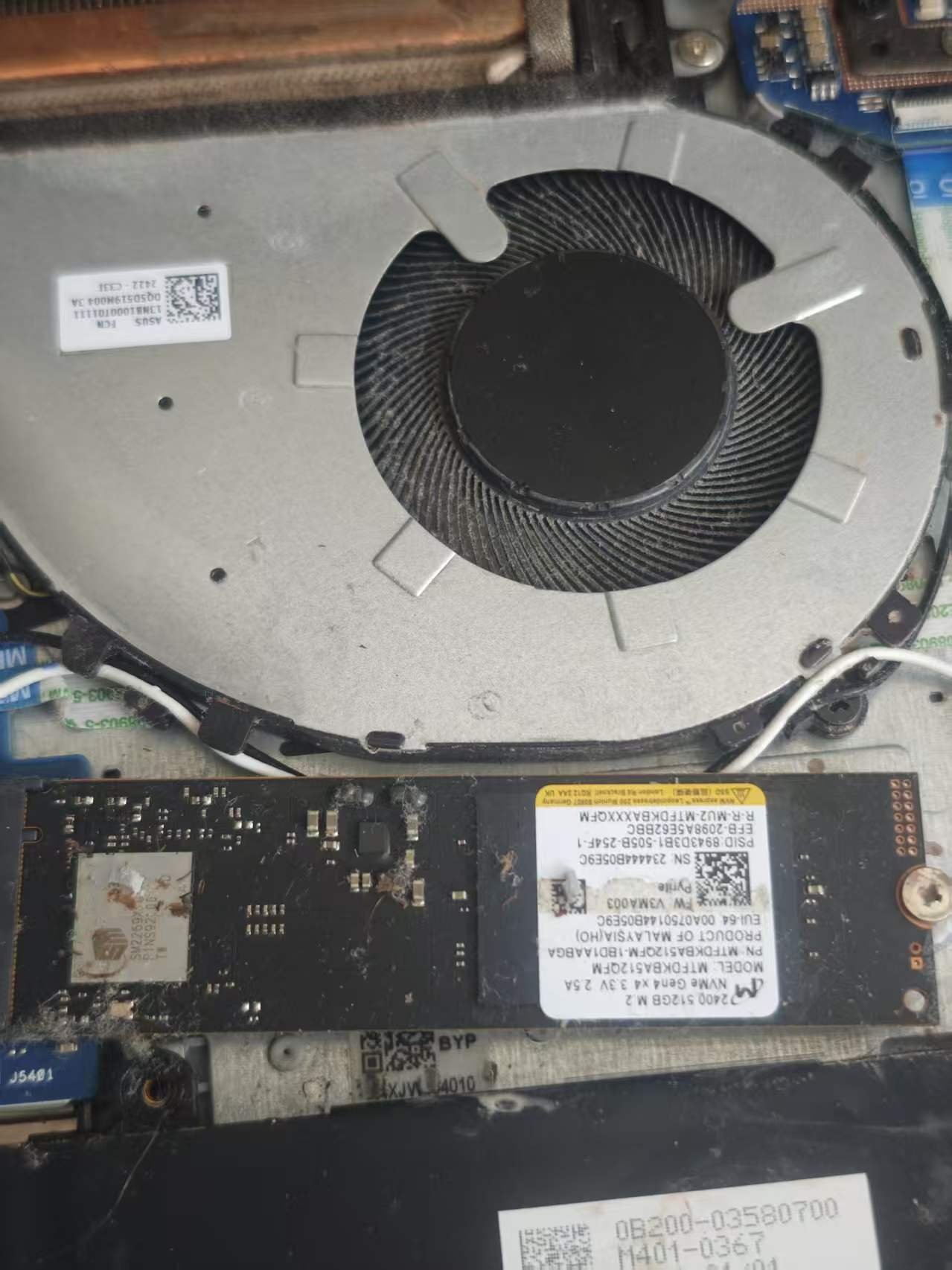
The moment the bottom cover came off, the cooling fan told its story — blades coated in a layer of dust:
Right next to the fan sits the M.2 SSD (Micron 2400 512GB), its surface dotted with dust and debris too. Laptops have tiny thermal headroom — once the fan cakes up, cooling efficiency drops immediately.
Inspecting the thermal module piece by piece
Next, the thermal module: copper heat pipe, mounting bracket and ribbon-cable connectors, checked one by one:
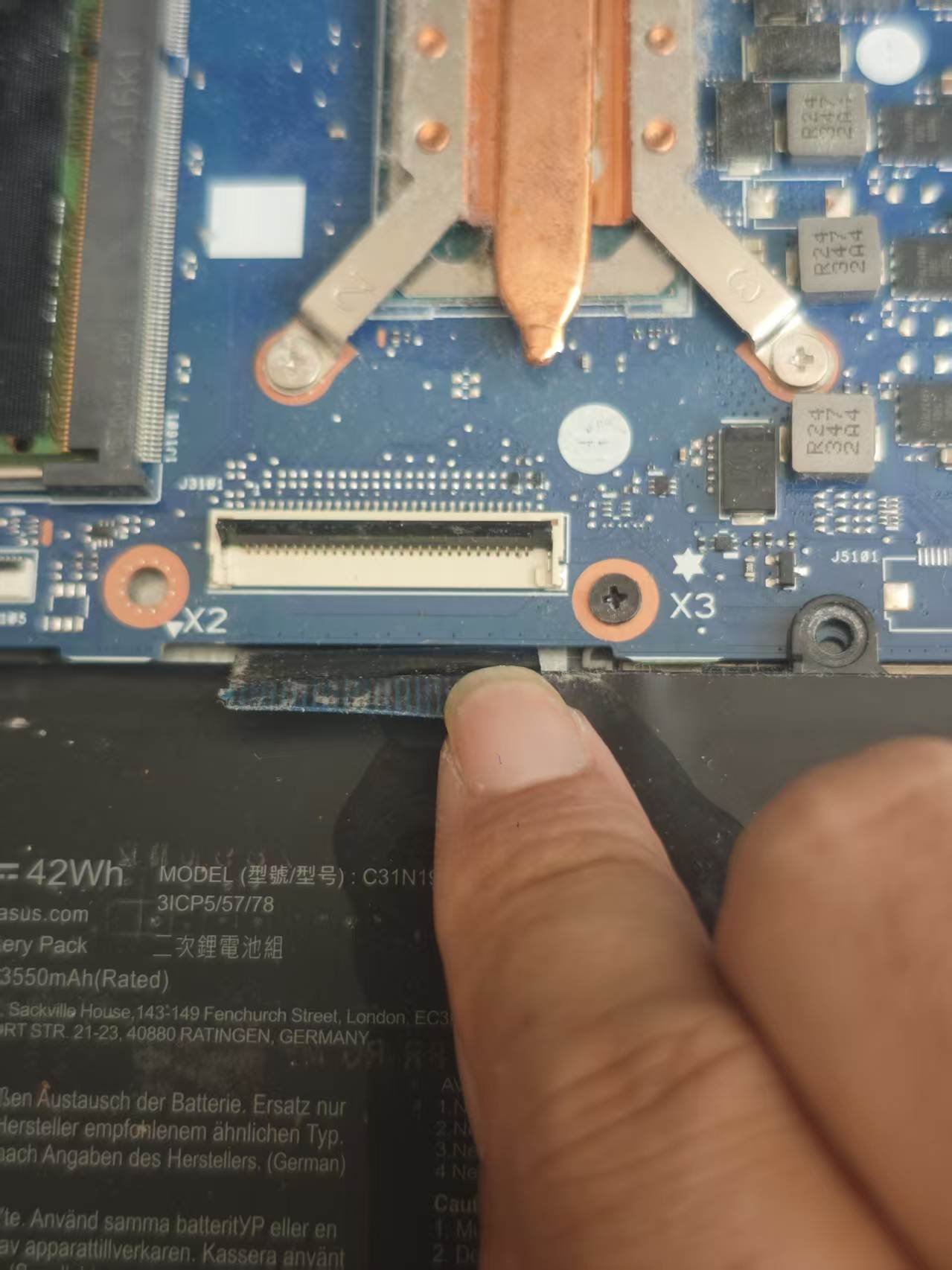
These spots hate looseness and oxidation. A poorly seated ribbon connector can cause all sorts of strange symptoms — which is why we check them on every teardown.
On the workbench: everything comes apart
The whole machine was stripped down on the bench. In the photo you can see the small blue USB daughterboard already removed, with a multimeter standing by:
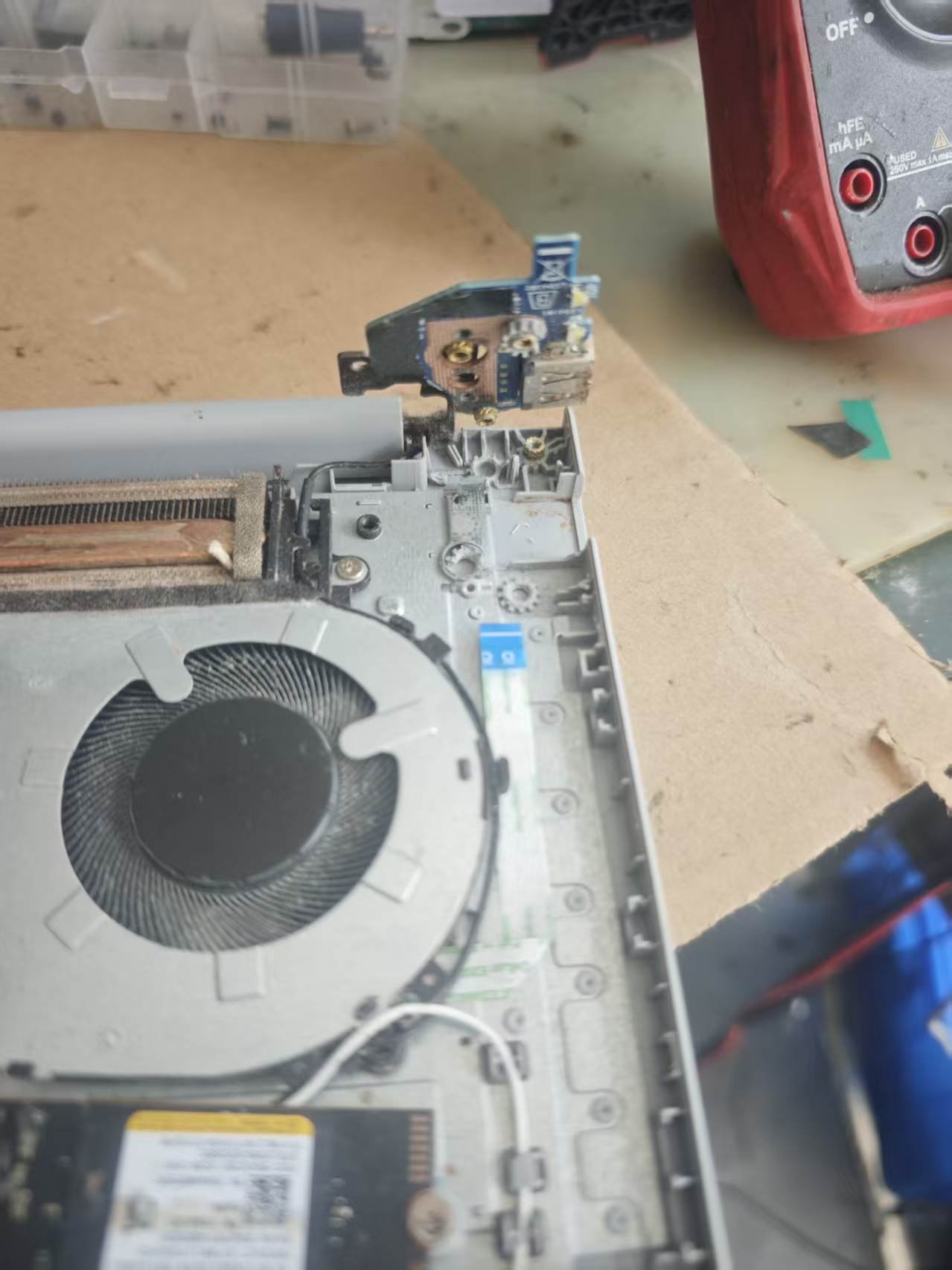
Dust was packed between the heatsink fins too — spots a user can never reach without opening the machine.
Board-level inspection: BIOS and WiFi included
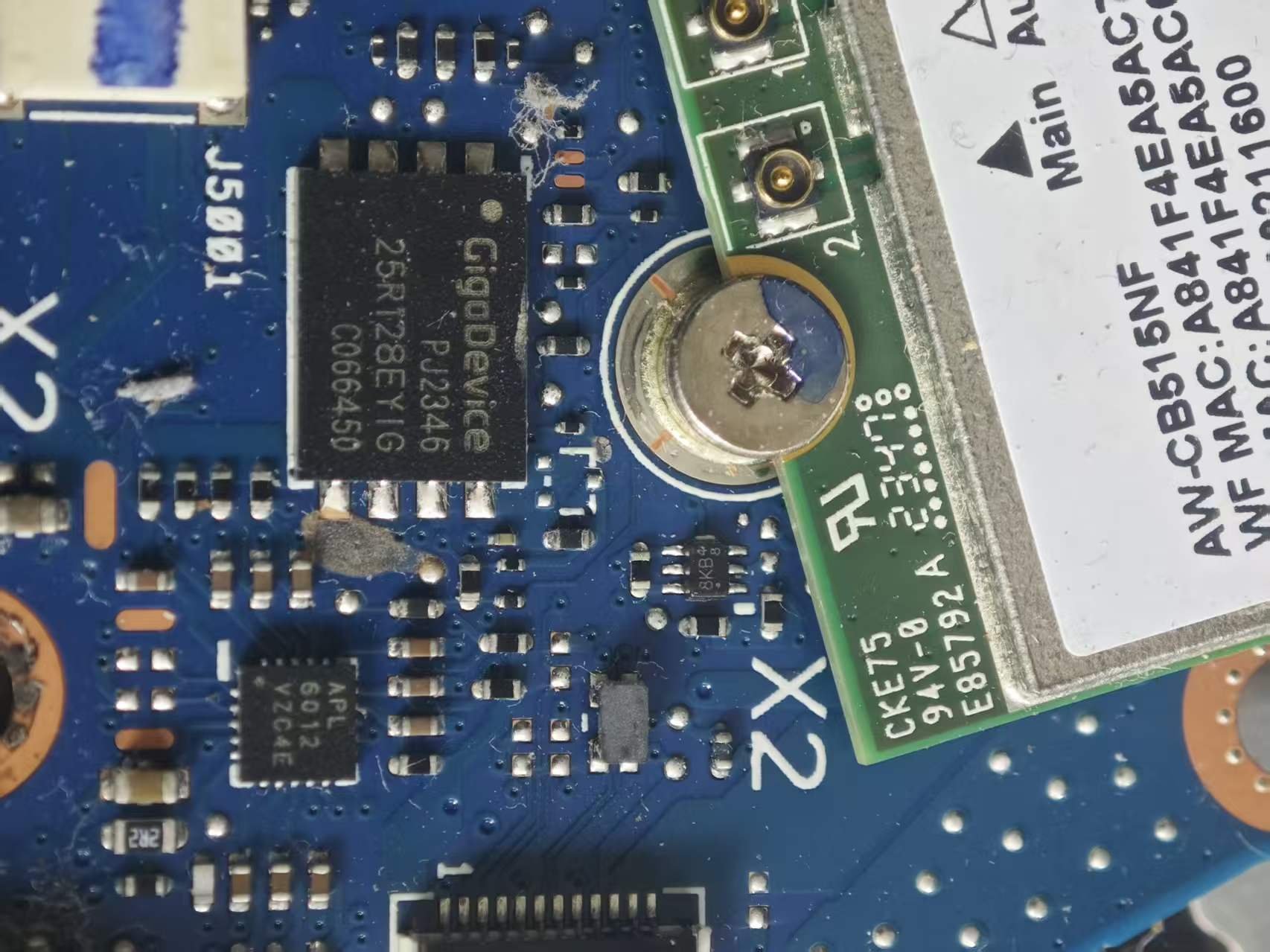
Going deeper, we visually inspected the chips on the motherboard as well: the GigaDevice BIOS chip, the WiFi module and its antenna connectors:
Even the battery gets checked
Finally the battery came out for inspection (ASUS C31N1911, 42Wh Li-Polymer). Rule number one of teardowns: disconnect power first. Removing the battery is about safety — and a good chance to check for swelling or abnormalities:
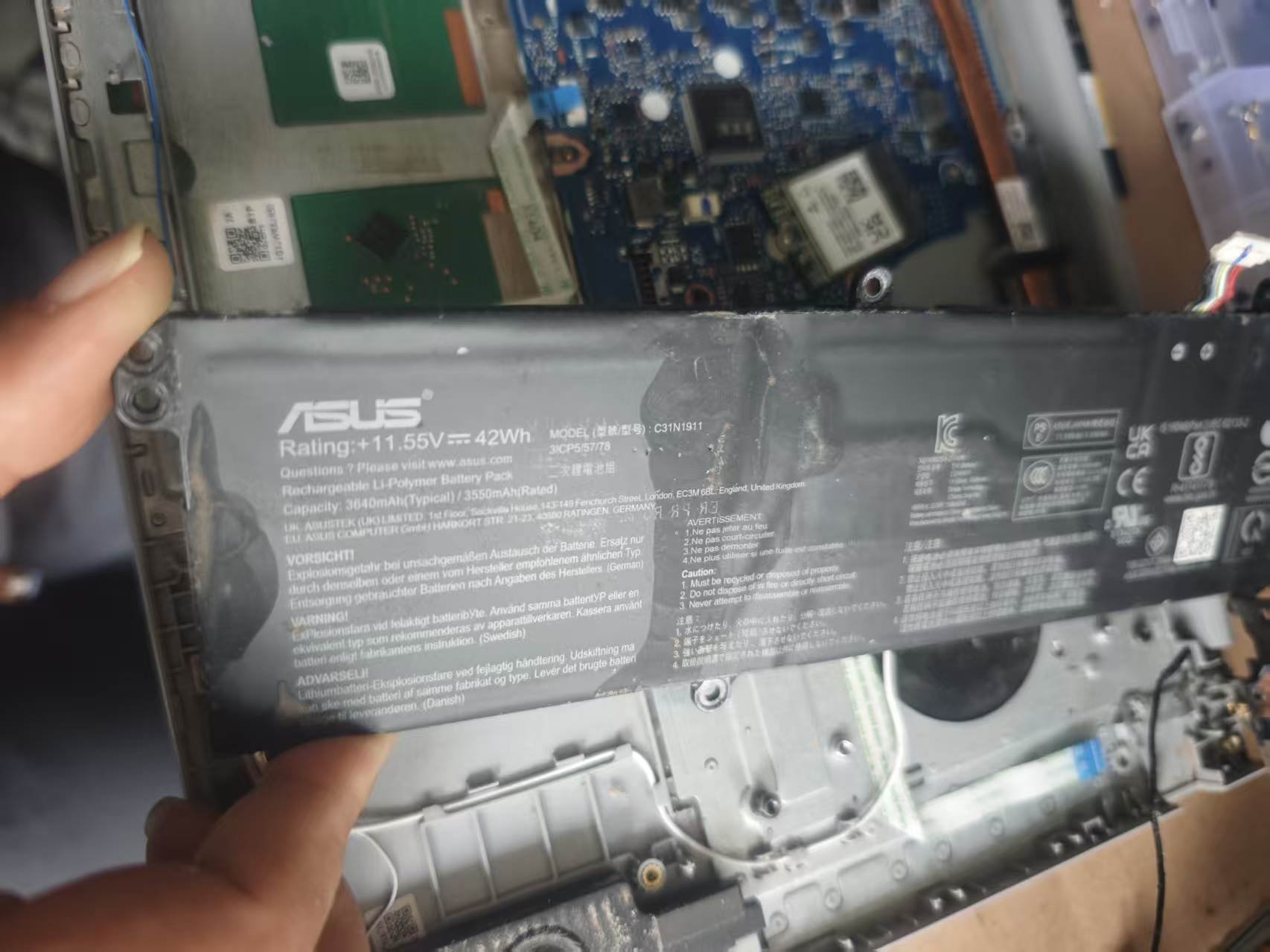
Done! Handed back in perfect order
Deep clean and full inspection complete — reassembled, tested, everything working, handed back to the owner. We know how stressful a broken computer feels when you're far from home. With the right people, it gets fixed just the same.
Expert tip: Laptop teardowns are far trickier than desktops — thin ribbons, tiny clips, screws of all different lengths. One missing screw on reassembly can cause real trouble. If you've never opened one up, don't start now.
Why do laptops collect dust so easily?
| Reason | Explanation |
|---|---|
| Tiny thermal space | Laptop interiors are cramped — a little dust already hurts airflow a lot |
| Always on the move | Cafes, hotels, outdoors — different environments mean more dust |
| Hong Kong is hot and humid | Dust absorbs moisture and sticks; it doesn't blow away like in dry climates |
| Fans spin faster and faster | Poor cooling makes fans spin harder, sucking in even more dust — a vicious cycle |
DIY or professional? At a glance
| DIY | Professional repair | |
|---|---|---|
| Tools | Need screwdriver set, anti-static strap, thermal paste | All included |
| Risk | One yanked ribbon or snapped clip and it's broken | Done daily, experienced hands |
| Inspection | You can see dust, but can you tell what's actually wrong? | SSD, battery, RAM and board all checked |
| Warranty | Opening it up may affect the manufacturer warranty | We know what not to touch |
| Best for | Experienced users, out-of-warranty machines | Beginners, expensive machines, anyone who doesn't want the risk |
FAQ
Q: I'm a tourist in Hong Kong with a broken computer — what can I do?
A: Come to us. Language is no barrier — we regularly handle repairs for tourists and expats, with transparent quotes explained before any work starts.
Q: How often does a laptop need a deep clean?
A: In Hong Kong's environment, every 12–18 months. If you carry it around daily or have pets (fur!), go more often.
Q: Will you be able to put it back together after teardown?
A: Yes. Professional teardowns follow a process: every screw position and cable route is recorded, then restored exactly. The key is not forcing anything yourself.
Q: Does a clean always require new thermal paste?
A: Not always — but on a machine more than two or three years old, the paste has usually started drying out, and replacing it while we're in there gives the best result.
How we can help
ComputerKing offers laptop deep-clean and health-check services:
- 🧹 Deep cleaning: Teardown cleaning of fans, heatsink fins and air intakes
- 🔍 Full health check: SSD, battery, RAM and motherboard all inspected
- 🧪 Thermal paste replacement: Premium paste to restore cooling efficiency
- 🌍 Tourists welcome: No problem communicating in English, transparent quotes
We cover Hong Kong Island, Kowloon and the New Territories with on-site service, plus stores in Sha Tin and Wan Chai. A broken computer in Hong Kong is nothing to fear — with the right people, it gets fixed.
📞 WhatsApp 2115 9219 to book, or visit our Sha Tin / Wan Chai stores.
*Last updated: October 2, 2026. Written by the ComputerKing Computer Maintenance Expert Team, with real case photos.*
Frequently Asked Questions
How much disassembly for ASUS cleaning?
Varies by model. Some just need the bottom cover; gaming models need full teardown.
Faster after cleaning?
Yes, especially if throttling. 10-20°C cooler means no throttling.
ASUS thermal paste interval?
2-3 years. Heavy gamers: 2 years. Stock paste is mediocre.
Does self-disassembly void ASUS warranty?
Yes. Don't DIY within warranty. Bring to us instead.