System Optimization · July 26, 2026 · ComputerKing Professional Team
Is Apple's Self Service Repair Program Worth It? A Hong Kong Repair Expert's Guide
Apple's Self Service Repair lets Hong Kong users fix their own MacBook or iPhone. ComputerKing's 15-year repair team breaks down the hidden risks and costs of going DIY.
Introduction
Let's be honest: a Mac or iPhone costs upwards of ten thousand Hong Kong dollars these days, and the moment something breaks, most people wince at the repair bill. Apple has been pushing its Self Service Repair program hard in Hong Kong recently, letting users buy genuine parts and rent the official tools to fix their own device at home. Sounds appealing, doesn't it — you get to feel handy AND save on labour costs.
But after more than 15 years fixing computers in Hong Kong, our ComputerKing team sees a steady stream of "I tried to fix it myself and now it's worse" cases come through the door almost every week. Is this self-repair program really the deal it sounds like, or does it end up being an expensive lesson? Let's break down exactly how the program works, and what really separates DIY from a professional repair shop.
What Is Apple's Self Service Repair Program?
Apple's Self Service Repair lets everyday users buy genuine parts and rent specialised tools directly from Apple, then follow the official manual to repair their own device. According to Apple's own figures from late 2024, the program now covers more than 40 products across 33 countries and regions. In Hong Kong, users can order more than 200 genuine parts and tools through a dedicated ordering site.
Here's the catch we've noticed at ComputerKing: even though the official channel is open to everyone, more than 75% of Hong Kong users who work through the roughly 100-page repair manual still end up walking into a professional repair shop anyway — usually because the tools are too expensive, or because they're simply afraid of breaking something.
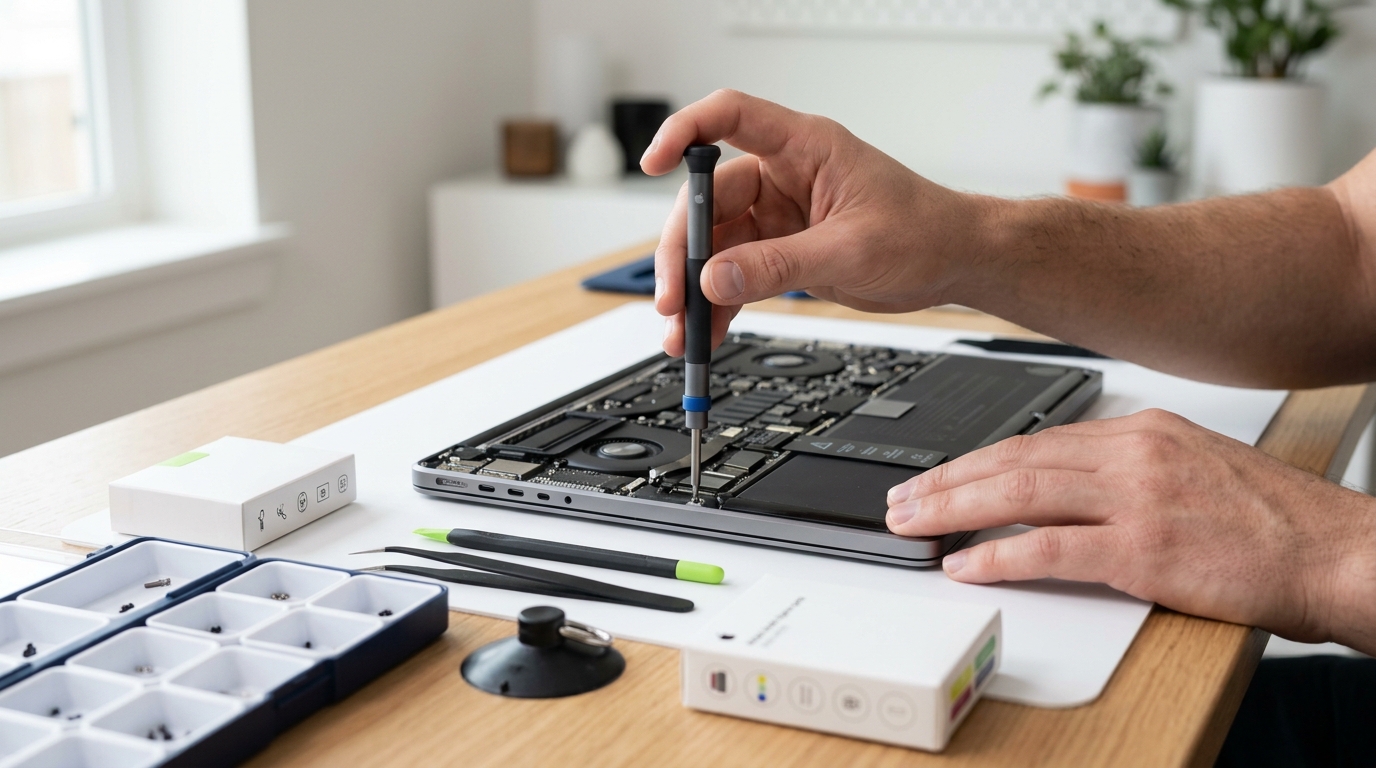
If you genuinely want to try it, the process runs like this: download the repair manual for your specific model from Apple's site and read it carefully; go to the dedicated self-repair store and enter your device's serial number to order the matching genuine parts; if you don't already own the right tools, you'll also need to pay to rent Apple's official toolkit. Once the parts and tools arrive, you follow the manual step by step, and afterwards you're expected to mail the old parts back to Apple for recycling — only then do you become eligible for a partial refund (issued as store credit).
Honestly, the intent behind the program is good, but for a typical Hong Kong household that might not even own a screwdriver, the barrier to entry is quite high. Just getting through a lengthy English-language manual already takes a fair bit of time and patience.
DIY vs. Professional Repair: What It Actually Costs
The real difference between fixing it yourself and going to a repair shop comes down to tool cost and technical risk. Take a MacBook battery replacement as an example: the genuine battery part plus the required tool rental typically runs HK$800–$1,200, and the official toolkit itself weighs a hefty 36kg, which makes shipping it back and forth a genuine hassle. By comparison, a professional Hong Kong repair company like ComputerKing usually charges HK$600–$1,000 for the same battery swap, and that includes a warranty of three months to a year. In our own case files, close to 30% of customers who attempted a DIY battery repair ended up snapping the display's ribbon cable during disassembly, turning a simple job into a far more expensive repair.
To make the comparison easier to see at a glance:
| Category | Apple Self Service Repair (DIY) | Professional Repair (ComputerKing) |
|---|---|---|
| Tools | Must rent a 36kg toolkit (~HK$380 rental) | Technician brings all required equipment |
| Parts | Genuine Apple parts (self-ordered) | Genuine or high-quality third-party parts, your choice |
| Risk | You bear the cost of any mistake, no warranty | 3–12 month repair warranty included |
| Time | 3–7 days (reading, disassembly, returning tools) | Usually done on the spot in 1–2 hours |
| Best for | Users with an electronics background who enjoy hands-on work | Anyone who wants it done quickly without the risk |
Once you see it laid out this way, it becomes clear that the real cost of DIY isn't just the parts — it's the tool rental and the time. Apple's rental toolkit is genuinely heavy, and coordinating delivery and pickup with a courier is its own kind of headache for anyone working long Hong Kong hours. And if anything goes wrong mid-repair — say you snap a delicate ribbon cable — Apple won't cover your mistake. At that point, your device really can become an expensive paperweight.
3 Common Mistakes First-Time DIYers Make
Based on the cases we've handled, the most common self-repair pitfalls come down to mismatched screws, static damage to the logic board, and torn ribbon cables.
1. Mixing up long and short screws: A MacBook has dozens of screws of slightly different lengths and diameters — some differ by just 0.5mm. Without a screw mat to track exactly which screw came from where, threading a long screw into a shorter hole will punch straight through the circuit board underneath, causing damage that usually can't be repaired.
2. Forgetting to disconnect the battery first: Many people get straight into removing other parts the moment the back cover comes off, completely forgetting to unplug the battery cable first. With the logic board still live, touching any metal contact with a metal tool carries up to an 80% chance of causing an electrical arc that instantly fries the CPU or power management chip.
3. Yanking ribbon cables with brute force: The screen, keyboard, and Touch ID ribbon cables inside a MacBook are extremely thin and often held down with strong adhesive. Without gentle heat from a hairdryer or a proper plastic pry tool, pulling with your fingers will snap the microscopic copper traces inside, leaving you with a striped display or a dead keyboard.
So — Should You DIY It, or Call a Professional?
Whether you should attempt a repair yourself really comes down to how complex the fault is and how comfortable you are working with your hands. Simple jobs that don't involve soldering — reinstalling software, cleaning a fan, swapping RAM — can be handled by around 80% of users just by following a tutorial. But anything involving a screen replacement, logic-board level chip repair, or a MacBook keyboard swap (which usually means removing dozens of screws) is best left to a professional repair company, because the repair bill grows exponentially the moment something goes wrong.
Good candidates for DIY (low difficulty):
- Cleaning the cooling fan and replacing thermal paste
- Upgrading the 2.5" SSD or RAM on an older MacBook or PC
- Reinstalling macOS or Windows
- Swapping external parts that are held on with screws only, no adhesive
Best left to a professional shop (high difficulty):
- MacBook screen assembly replacement (involves high-voltage capacitors and antenna cables)
- Keyboard replacement (newer Mac keyboards are riveted to the chassis, requiring full teardown)
- Liquid damage or logic-board level chip repair that won't power on (needs a heat gun and microscope)
- Data recovery from a failed SSD chip (requires professional equipment to read raw data)
If, after weighing it up, you're not confident going it alone — or your device is the tool you rely on to earn a living and can't be out of action even for a day — the safest route is still a professional Hong Kong repair team. You can WhatsApp us at 2115 9219 for a quote; we offer instant assessments and can even arrange a home visit to save you time and stress.
FAQ
Q: If I open up my Mac myself, will Apple still honour the warranty?
A: Under Apple's current policy, if a user opens the device but causes no damage, the official warranty remains valid. But if any "accidental damage" occurs during the process (for example, a screw punching through the case or a snapped ribbon cable), that specific part of the warranty is voided, and Apple will decline to repair that damage for free.
Q: How heavy is Apple's rental toolkit, and how does shipping work?
A: Apple's professional toolkit weighs around 36kg (about 79lbs) and is usually shipped in two large cases. Rental fees include shipping both ways, but you must return the tools within 7 days of receiving them, or you'll be charged a deposit of several thousand Hong Kong dollars.
Q: If I've already bought the genuine parts myself, can ComputerKing install them for me?
A: Yes. We offer an installation-only service. If you've bought genuine parts but decide the job is too risky to attempt yourself, contact us any time — our technicians will fit them safely for a reasonable labour fee, and the installation itself comes with a warranty.
Q: How do I book a repair with ComputerKing?
A: Just WhatsApp us directly at 2115 9219, or call our hotline to book. We offer in-store repairs as well as island-wide home visits across Hong Kong, and in most cases can send a technician out the same day.
Conclusion
Apple's Self Service Repair program is undoubtedly a welcome new option for tech enthusiasts who enjoy working with their hands. But at the end of the day, computer repair is a craft that combines experience and skill. If you have any doubts about your own ability, or simply don't want to risk the steep cost of turning a fixable problem into a write-off, handing it to an experienced technician remains the most efficient and stress-free choice.
If your Mac or computer is giving you trouble right now, or you're thinking about upgrading a part, don't wait — WhatsApp ComputerKing at 2115 9219 and let our professional team get you back up and running fast!
---
*Written by ComputerKing's senior repair team, with over 15 years of Hong Kong computer repair experience and more than 10,000 completed repair and data recovery cases. Last updated: July 25, 2026.*
Frequently Asked Questions
What is Apple Self Service Repair?
Apple sells parts and rents tools for DIY. Limited in HK, not cheap, requires skill.
Pitfalls of DIY iPhone battery?
Broken waterproof seals, torn cables, stuck adhesive. Shops charge hundreds; DIY risks the screen.
DIY Mac battery replacement?
M1+ batteries are glued. Puncturing one causes fire. High risk for beginners.
When is DIY worth it?
Simple: iPhone screens (with experience), old Mac RAM. Complex: batteries, boards — go pro.