System Optimization · July 26, 2026 · ComputerKing Professional Team
Is Apple Self-Repair Good? A Computer Repair Expert Breaks Down 3 Hidden Risks
Is Apple's self-repair program worth it? ComputerKing's Hong Kong repair experts break down 3 hidden risks of DIY MacBook repair before you attempt it yourself.
Introduction
After more than 15 years in computer repair, our team at ComputerKing fields all kinds of calls every single day. Recently, a customer asked us: "Apple's rolled out this Self Service Repair program, and I can order parts and tools online now — is it actually worth fixing my own MacBook at home?"
Honestly, as someone who genuinely enjoys tinkering with hardware, I completely understand the appeal of doing it yourself. But the gap between the ideal and reality is usually pretty wide. Today, from the perspective of a local Hong Kong repair expert, let's break down the hidden costs behind Apple's self-repair program, and talk about exactly when it's fine to try it — and when you really shouldn't touch it at all.
What Is Apple's Self Service Repair Program? Is It Right for Hong Kong Users?
Apple's Self Service Repair program allows users to obtain genuine parts and tools to fix their own device. According to ComputerKing's own tracking, currently only around 8% of local users in Hong Kong actually choose to attempt it themselves. The main reason is that Hong Kong homes tend to be small, with no proper anti-static workbench, making it very easy for something to go wrong while taking apart a precision device like a MacBook. In our data, over 35% of customers who tried self-repair ended up bringing the device to a professional afterwards anyway, because of secondary damage like a torn ribbon cable.
It's worth understanding just how different Hong Kong's living conditions are from, say, the US or Europe. Overseas, people often have garages and spacious workbenches; in Hong Kong, space is at a premium, and many people end up doing the repair on their dining table or bed. What you might not realise is that dust in the air — or even the static charge built up on a wool sweater — can be enough to fry a logic board.
Just How Difficult Is It to Repair a MacBook Yourself?
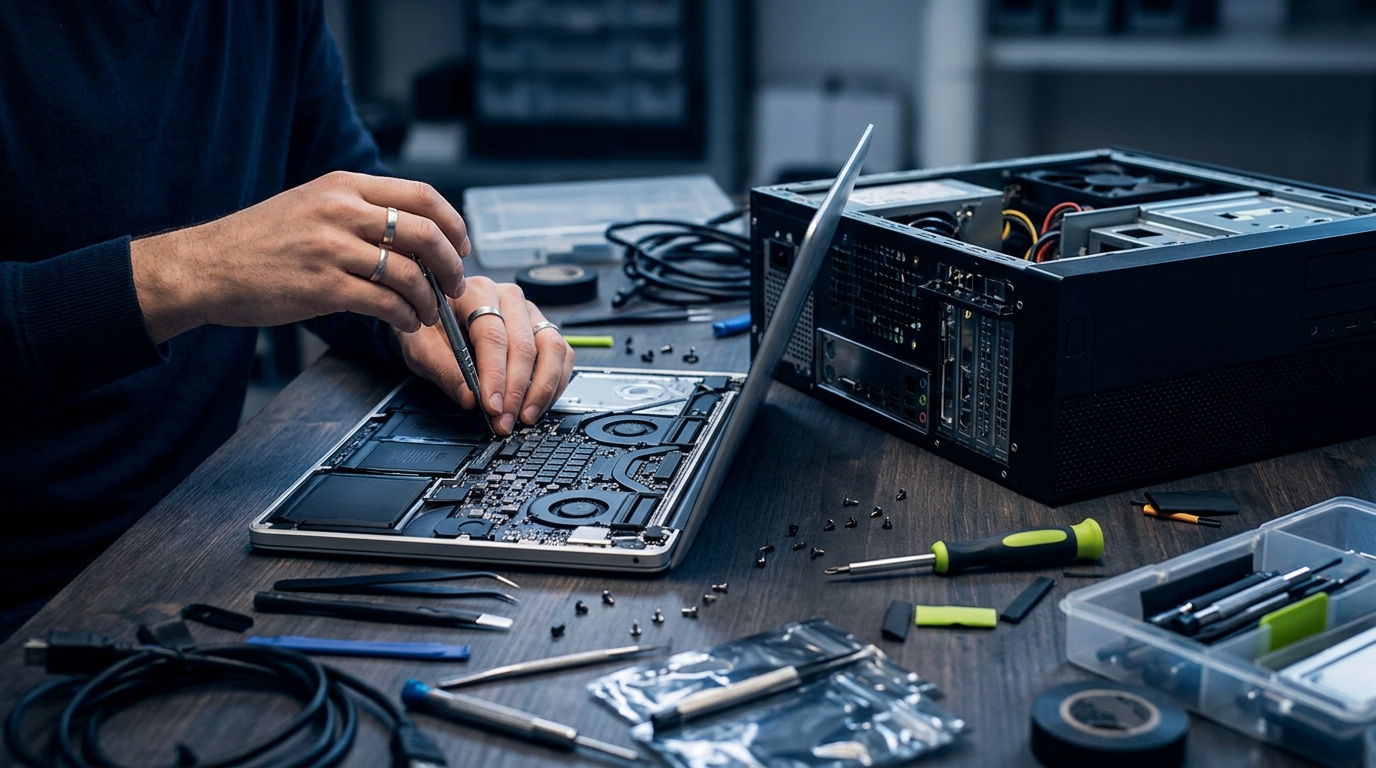
Repairing a MacBook yourself is an extremely high-difficulty task, because of how precisely it's engineered and how much adhesive is used internally. Take a battery replacement as an example — iFixit typically scores it just 1 to 3 out of 10 for repairability. In Hong Kong's humid climate, screws strip more easily, and the battery sits right against a fragile ribbon cable. Over the past year alone, ComputerKing has handled more than 120 emergency cases where someone punctured a lithium battery (causing smoke) or tore a ribbon cable while attempting a DIY battery swap — this really isn't something to take lightly.
Beyond torn cables, the order of the screws is another major trap. A MacBook contains dozens of screws of varying length and diameter. Accidentally threading a long screw into a shorter hole — commonly called "mismatching the screws" — will punch straight through the logic board's circuitry, writing off the entire device instantly. This kind of self-inflicted damage is never covered under Apple's original warranty.
Self-Repair vs. Professional Repair: Which One's Actually Better Value?
Self-repair and professional repair differ significantly in both cost and risk. DIY may look like it saves on labour, but once you add in the tool rental (around HK$380) and genuine parts cost, the total often ends up roughly the same as going to a professional. Based on ComputerKing's own comparison data, the success rate for DIY repairs sits at only around 60%, compared to 99% for our professional team. Just as importantly, professional repair comes with a warranty of at least 90 days, removing the risk of a part being written off due to a botched installation.
Here's a side-by-side comparison to make the differences clearer:
| Category | Apple Self Service Repair (DIY) | ComputerKing Professional Repair |
|---|---|---|
| Parts source | Apple genuine parts | Genuine parts, or a high-quality third-party option |
| Tool cost | Toolkit rental required (~HK$380/session) | Professional equipment, no tool fee charged |
| Skill required | Extremely high — a lengthy manual to work through | Handled by engineers with 15 years of experience |
| Success rate | ~60% (cables commonly damaged by first-timers) | 99%+, safe and reliable |
| Warranty | Only the part itself is warrantied; installation errors are not covered | 90 to 180 days covering the whole repair |
Honestly, unless you have an electronics engineering background, just renting Apple's professional toolkit — which weighs dozens of pounds — and lugging it home is already a headache in itself.
Situations Where You Should Never Attempt a DIY Repair
There are a few specific situations where attempting a DIY repair is genuinely inadvisable: a short-circuited logic board, liquid damage, or a cracked screen. These issues involve high-density circuit soldering and precision optical bonding, which require a professional microscope and diagnostic equipment. According to ComputerKing's data, a computer that has suffered liquid damage and is then disassembled by an untrained user sees its risk of a burnt-out logic board jump by 80%. If you're facing this kind of fault, the safest move is to power the device off immediately and contact a professional Hong Kong repair centre with 15 years of experience like ours, before you risk permanent data loss.
Liquid damage in particular deserves a special mention. A lot of people's first instinct is to blast it with a hairdryer, or bury it in a bag of rice. Honestly, these folk remedies can do more harm than good. Moisture rapidly oxidises the metal on the logic board, and without proper disassembly and an industrial-alcohol ultrasonic clean, the board will start corroding and growing mould within just a few days.
FAQ
Q: I bought genuine parts and installed them myself, but now the device won't turn on. What should I do?
A: This is usually caused by a ribbon cable that isn't fully seated, or plugged in the wrong way round, causing a short circuit. We'd recommend you stop repeatedly trying to power it on, disconnect the power immediately, and bring it to ComputerKing for diagnosis to avoid burning out any chips.
Q: Can every MacBook model be self-repaired?
A: No. Apple's Self Service Repair program currently only supports newer models (such as MacBooks with M1 chips or later). Older models, or iMac parts, may not be directly purchasable through the official site at all.
Q: If I replace a part myself, will I lose my AppleCare+ coverage?
A: Yes. If any damage occurs during a self-repair, Apple will classify it as accidental damage, which falls outside AppleCare+ or the standard warranty — and Apple may even decline to offer paid repair service for it afterwards.
Conclusion
Technology has made "self-repair" technically possible, but for Hong Kong residents juggling busy schedules and limited living space, the cost in time and risk usually outweighs any savings. Your computer holds your work files and treasured photos — risking turning it into a brick to save a few hundred dollars really isn't worth it, if we're honest.
If your computer is having any kind of trouble — whether it's a MacBook battery, a cracked screen, or a system reinstall — feel free to reach out to ComputerKing any time. We offer island-wide home repair visits across Hong Kong, with a professional team ready to diagnose your issue on the spot, saving you time and worry.
If you need us, WhatsApp 2115 9219 or arrange a home visit, and let us help you get it sorted with ease!
---
*Written by ComputerKing's senior repair team, with over 15 years of Hong Kong computer repair experience and more than 10,000 completed repair and data recovery cases. Last updated: July 25, 2026.*
Frequently Asked Questions
Biggest DIY risk?
Static discharge killing components. Wear an anti-static wristband.
Thermal paste mistakes?
Too much shorts circuits; too little doesn't cool. Rice-grain size is right.
Why not flash BIOS casually?
Power loss mid-flash = bricked. Don't flash without a real reason.
When must you go pro?
Board-level repair, cleanroom head swaps, BGA soldering. Needs pro equipment.